
Breaking Discovery… Emergency Update! 🔥
Attention all Smart Pocket app users, and even those using the Phantom Wallet’s swap function—this is a must-read!
Whenever you exchange or purchase through the swap function in the Smart Pocket app, you earn SP Points for the amount swapped. In other words… by doing consecutive swaps, you can rapidly accumulate points!
What’s more, it seems that in the near future, an airdrop of SP Tokens ($SP) will be distributed based on the number of points you’ve earned.
That means now is the perfect time to swap consecutively and rack up points!
Earn Points through Consecutive Swaps!
So, what happens when you perform consecutive swaps?
For example, let’s say you repeatedly swap the official token $PKM with $SOL…
- (1) $SOL >>> $PKM
Swap $100 worth of $PKM (exchange SOL for PKM) >>> Earn 100 Points - (2) $PKM >>> $SOL
Swap $100 worth of $SOL (exchange PKM for SOL) >>> Earn 100 Points - (3) $SOL >>> $PKM
Swap $100 worth of $PKM (exchange SOL for PKM) >>> Earn 100 Points - (4) $PKM >>> $SOL
Swap $100 worth of $SOL (exchange PKM for SOL) >>> Earn 100 Points - (5) $SOL >>> $PKM
Swap $100 worth of $PKM (exchange SOL for PKM) >>> Earn 100 Points - …and so on.
- Just 5 repeats like this nets you 500 Points!
By simply “repeating exchanges or purchases” with the swap function, you keep stacking up points. Amazing, right?
The key is to avoid losing out on fees by repeating:
“Sell when the price goes up a bit”
“Buy when the price dips a bit”
Since markets naturally fluctuate, if you keep swapping at the right timing, you’ll rack up points in no time!
(Investment is entirely at your own risk. Please use only surplus funds within your means.)
Because points are awarded based on the amount you trade, your principal funds stay intact while you pile up points rapidly.
How to Perform Consecutive Swaps
Here’s how to swap step by step. By repeating these steps, you can perform consecutive swaps.
Let’s use the official token $PKM as an example.
(1) $SOL >>> $PKM
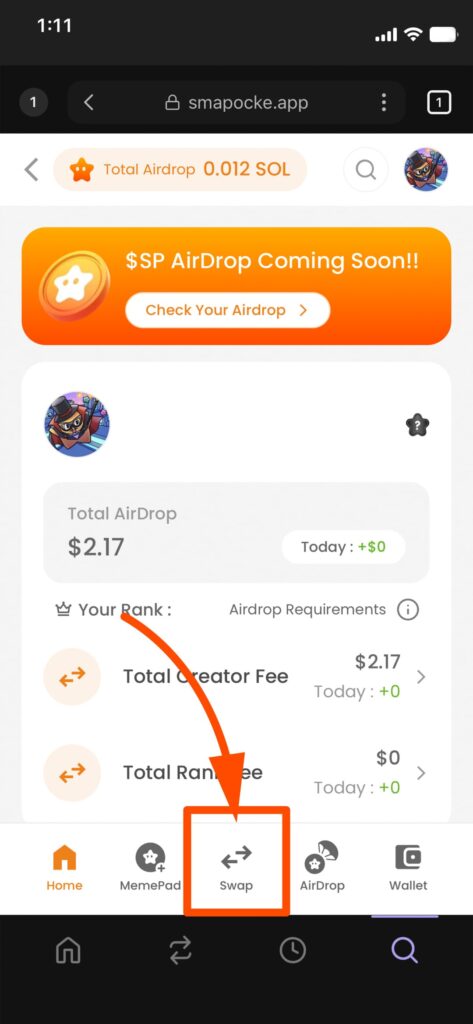
1. Tap “Swap” at the bottom menu
2. The swap screen will appear
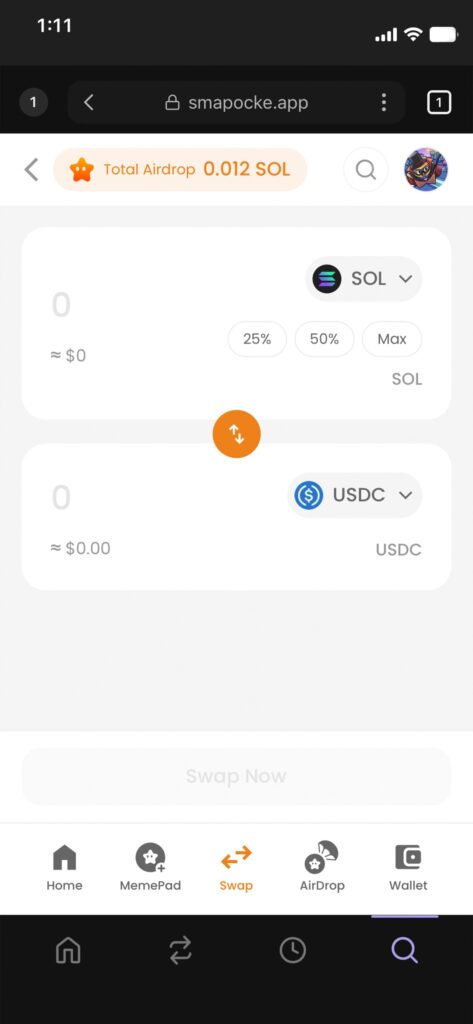
3. Select $PKM
(1) Tap the icon

(2) In the selection screen, search and select $PKM

※ You can also search by token name or ticker in the top search bar. For example, search “PKM” as the ticker for Pockemy Coin.
※ CA(contract address):6LH9NDBYUf7thDx8sMZppZpxAsdXtsQ9VN37gKMpZRSp
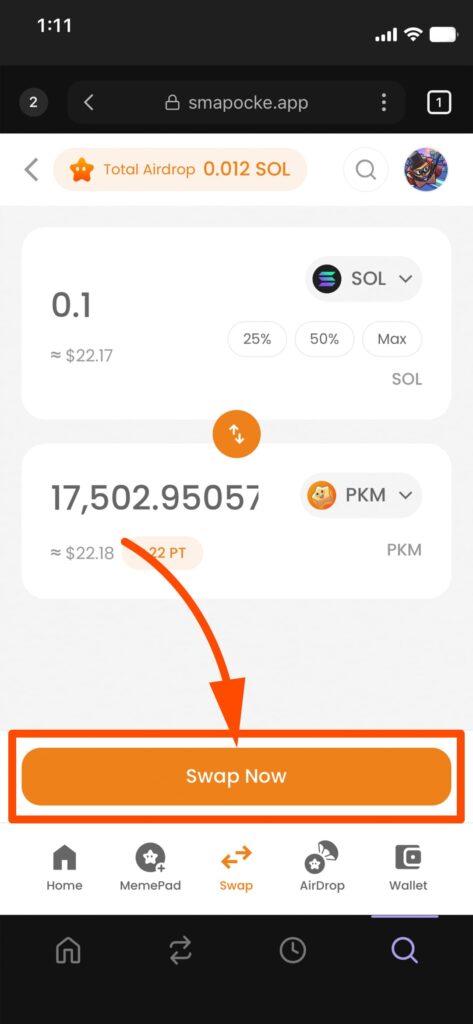
4. Enter the amount to swap
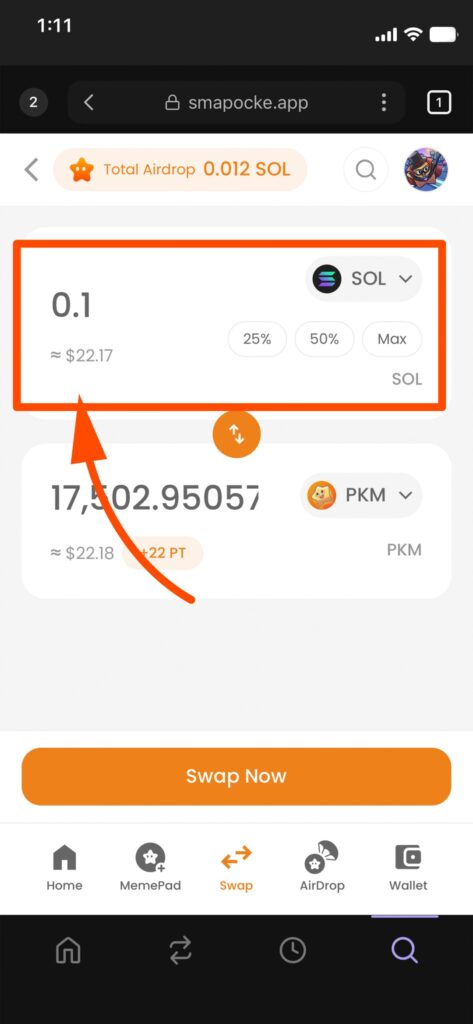
5. The amount will auto-populate
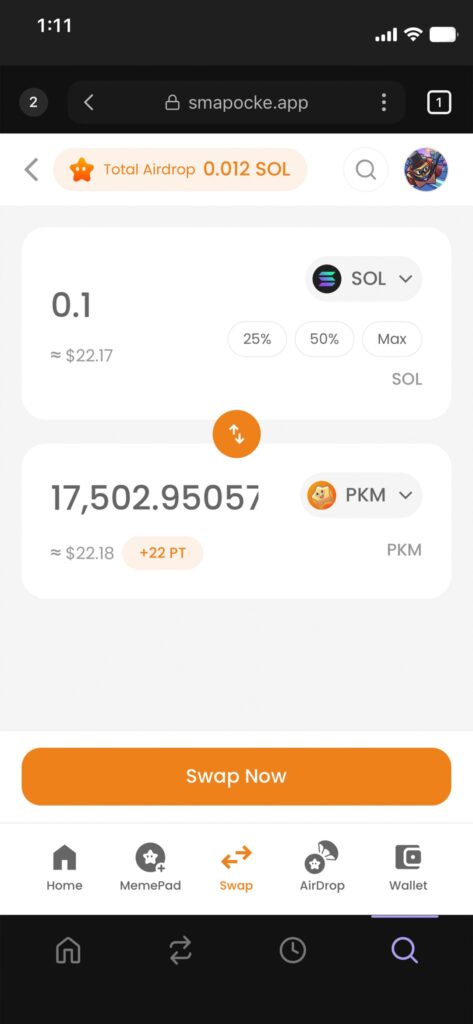
6. Tap “Swap Now”
7. Confirm the transaction
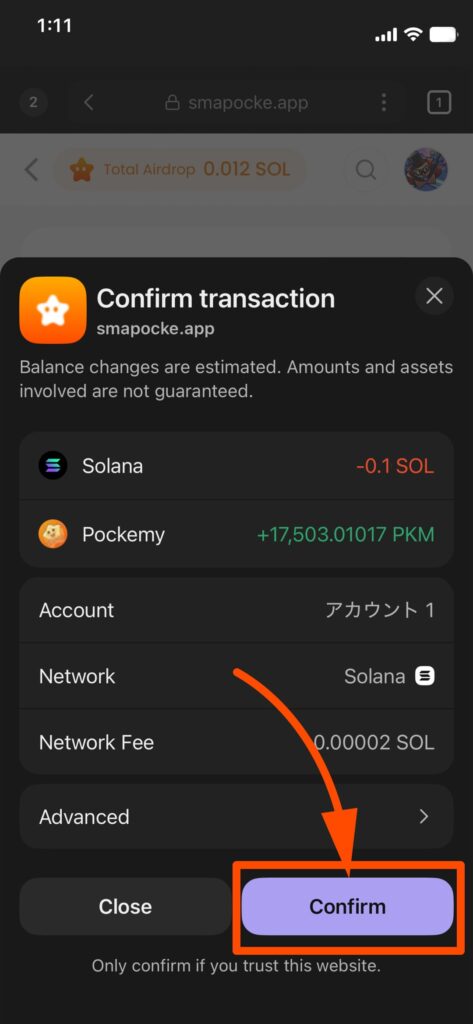
Note: A transaction fee is required to process swaps on the blockchain. Always account for this fee when entering amounts.
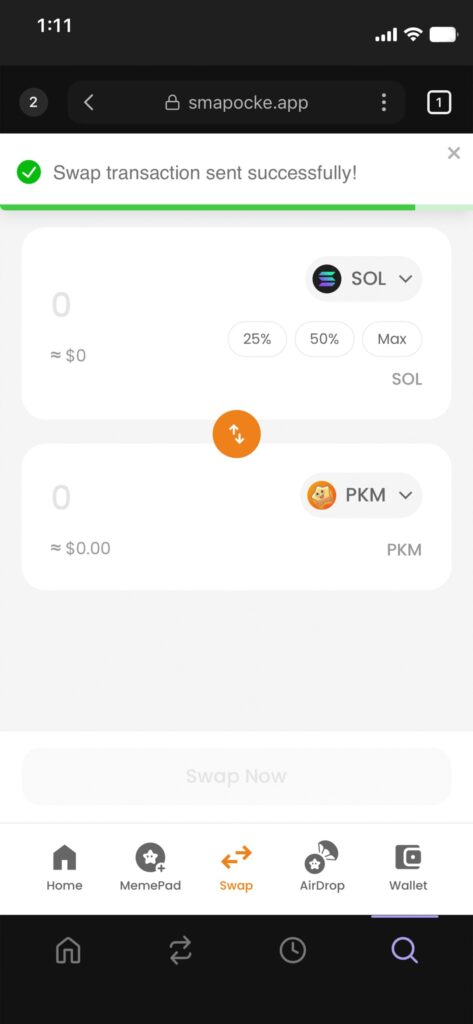
8. When you see “Swap transaction sent successfully!”, the swap is complete.
(2) $PKM >>> $SOL
Next, when $PKM rises a bit, swap it back into $SOL.
1. Open the swap screen
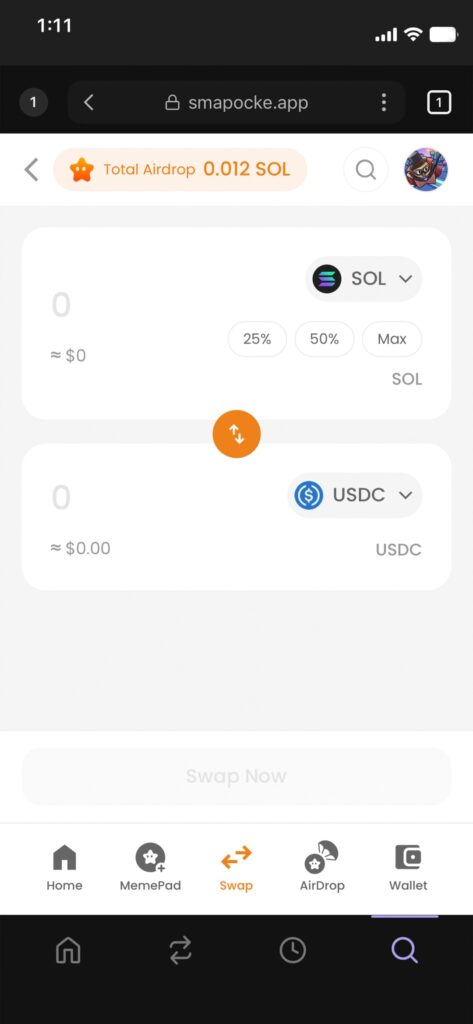
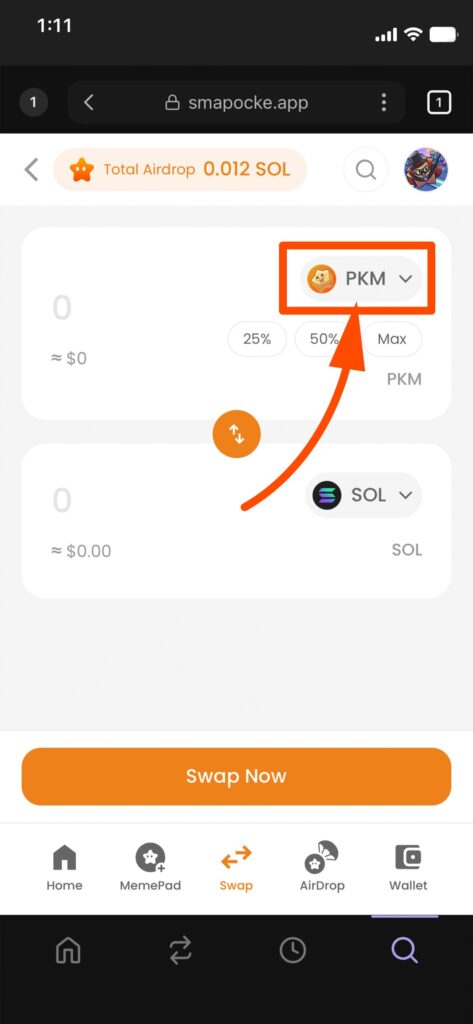
2. Select $PKM in the top input field
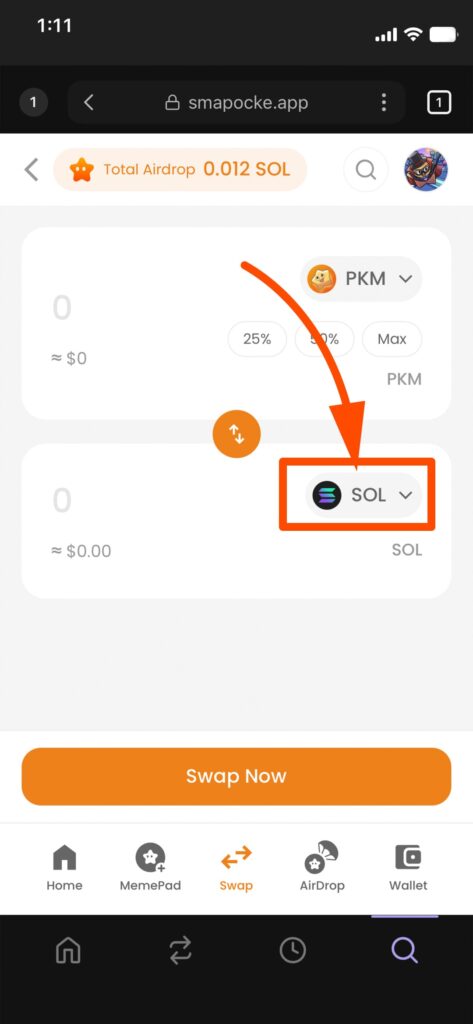
3. Select $SOL in the bottom input field
4. Enter the amount to swap
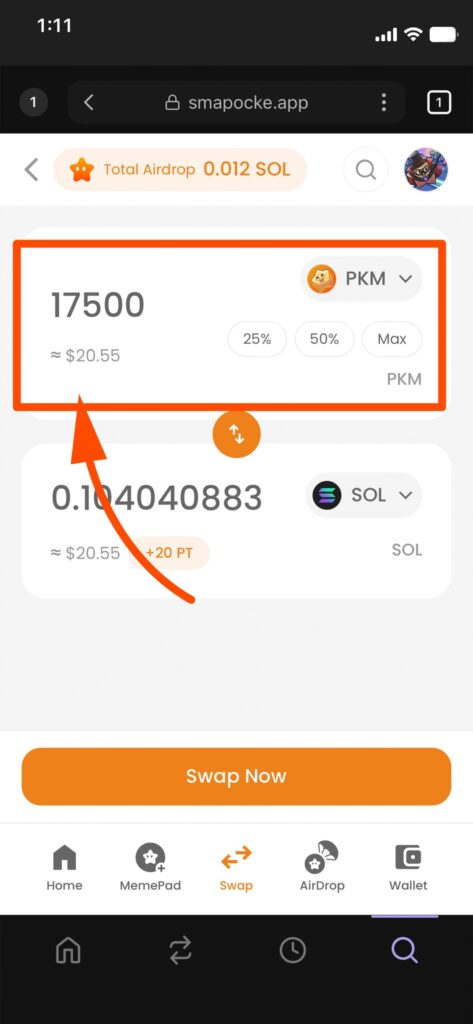
5. The amount in $SOL will auto-populate
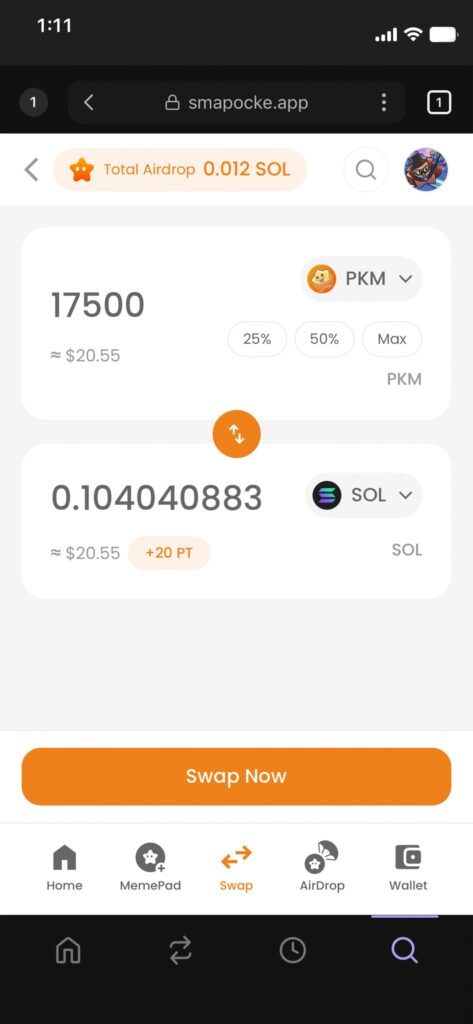
6. Tap “Swap Now”
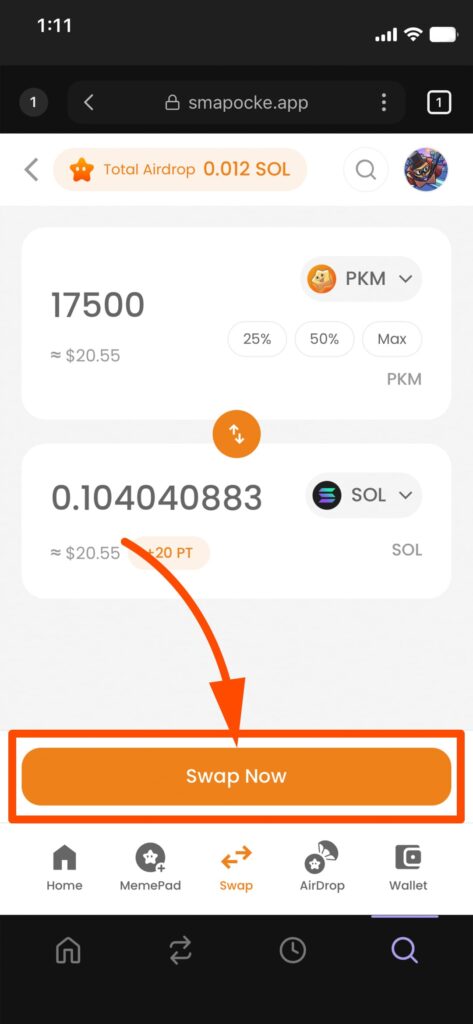
7. Confirm the transaction
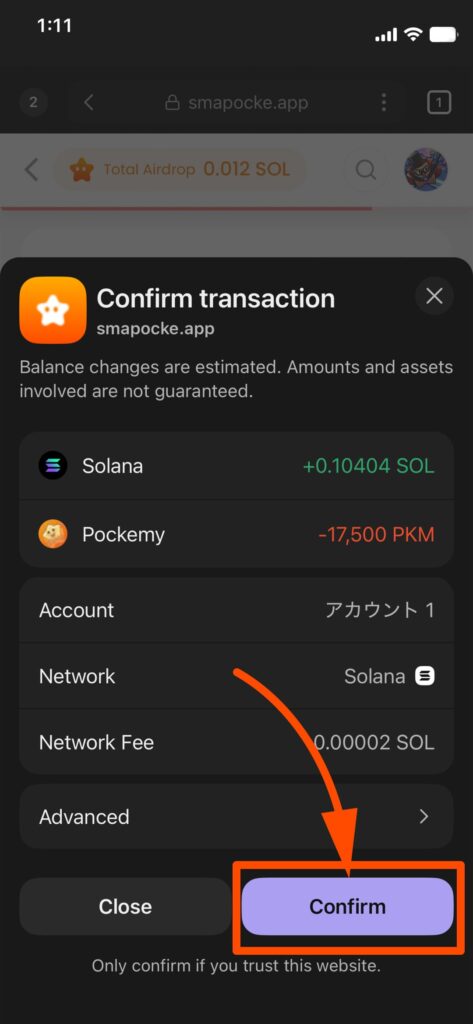
8. When you see “Swap transaction sent successfully!”, the swap is complete.
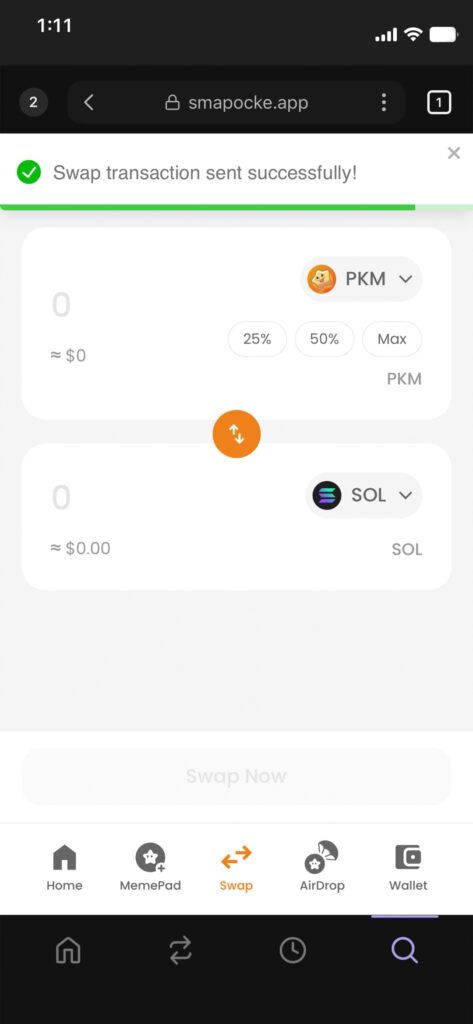
That’s it!
By repeating these buy and sell swaps at the right timing, you can rack up tons of points 🔥
In some cases, non-official tokens or cryptocurrencies may display a BUY screen instead of SWAP, but the basic flow is almost the same.
It’s best to start small at first. Since you can earn points from any tokens or cryptos listed in the swap function, it’s also fun to try and find the ones that suit you best!
Reference: Official Announcement