With the Smapocke ( Smart Pocket ) App, which has more than 3 million users worldwide, you can create your very own original token.
Using the “Launch Token” feature inside MemePad, not only creators but also ordinary users can easily create original tokens to the world in just a few steps.
Who Should create an Original Token?
- ·Creators and artists who want to share their content
- ·Those who want to build their own token economy as the foundation of their activities
- ·People considering fundraising for creative or business projects
- ·Those seeking a new fundraising method that goes beyond traditional crowdfunding
- ·Anyone who wants to use tokens in their daily life or work
- ·Those who want to exchange value smartly without involving money
- ·People who want to grow their own tokens with financial value
- …and more!
For creators, artists, and entrepreneurs, this can be used as a new fundraising method that goes beyond crowdfunding. You can also build your own token economy.
If you’re interested in fintech, it’s fun to grow the financial value of your own token. Even for everyday users, tokens can be used for value exchange in small groups or families — a smart way of interaction without money. In short, it’s recommended for everyone!
This article summarizes how to create and utilize original tokens.
You can also check out the token we created below — purchasing it would encourage our blog activities. Please have a look!
The World Is Changing! A New Era Where Anyone Can Easily create Tokens
Traditionally, issuing tokens required a large amount of funding and months until listing… It was limited to professionals in Web3, highly skilled engineers, or a handful of tech-savvy geeks.
But with Smapocke…
Now, without any special skills or knowledge, you can create your very own original token in just 2–3 minutes.
And it’s super easy.
The moment you launch it, your token will be available to over 3 million users worldwide inside the app!
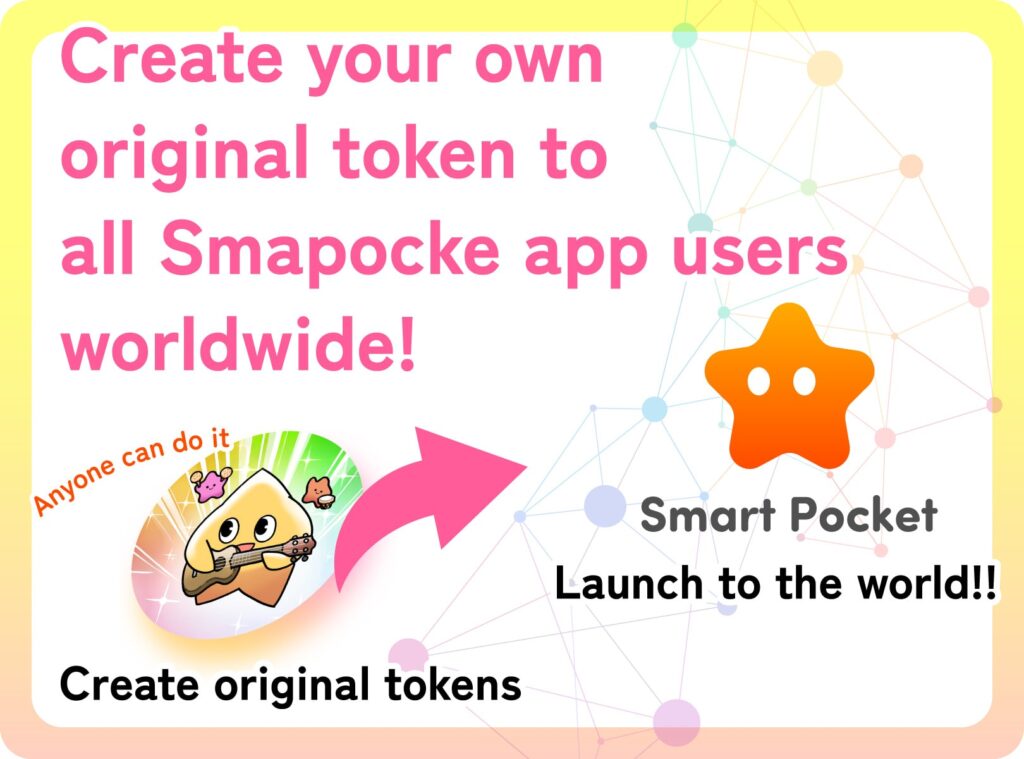
In my personal opinion, this is not just about technological progress — it feels like something that could change the world’s common sense.
Just by tapping on your smartphone at home, you can create a token that may carry financial value, accessible worldwide.
Smapocke has realized “a world where anyone can freely create their own token anytime.”
This could be a shocking shift, where it becomes “normal” for everyone around the world to create their own tokens.
Take this opportunity — try creating your own original token today!
How to create Your Original Token: Launch Token Feature
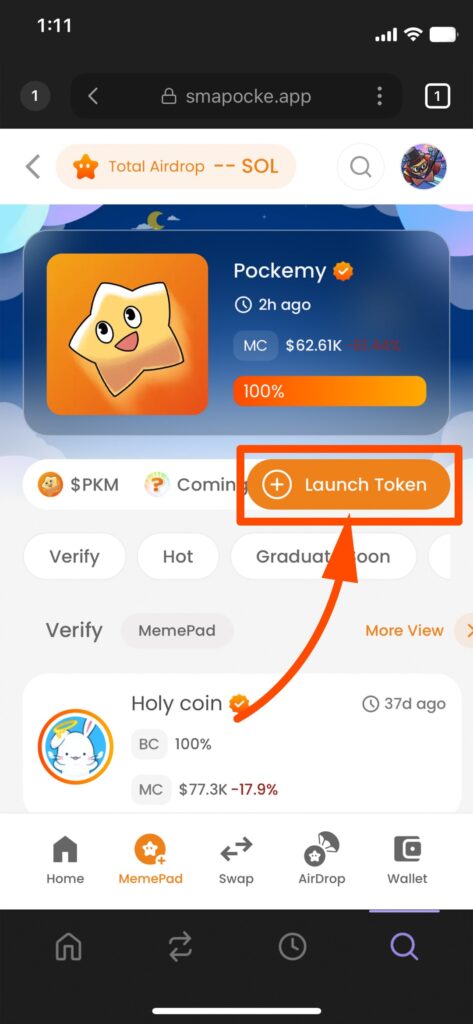
1. Tap MemePad at the bottom of the screen
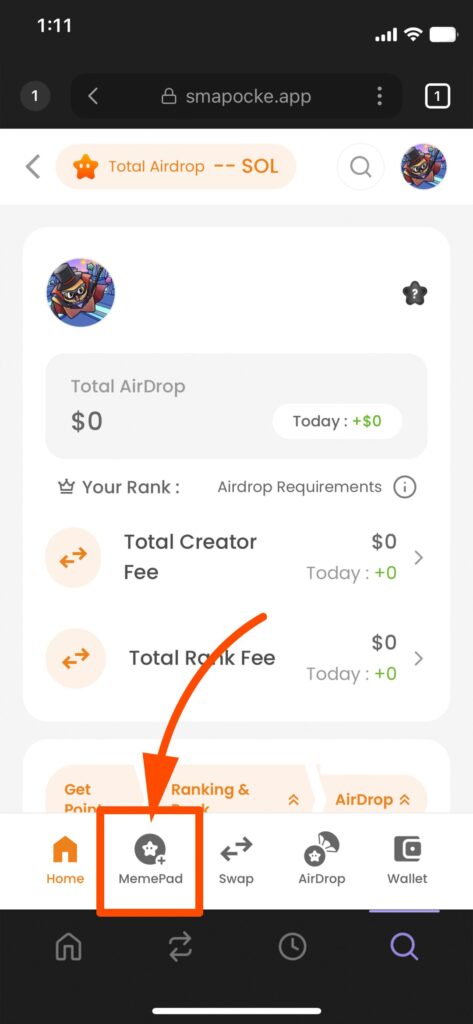
2. The MemePad top page will appear
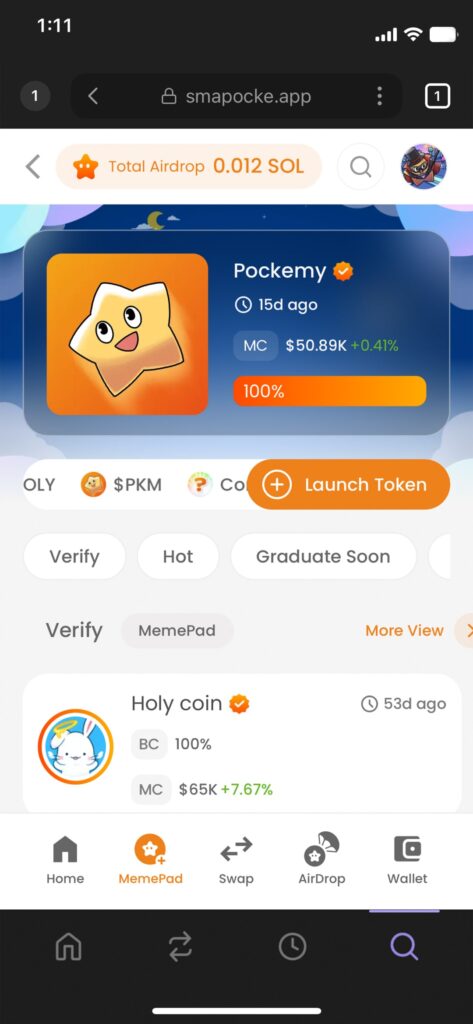
3. Tap + Launch Token at the top
4. The token setup screen will appear
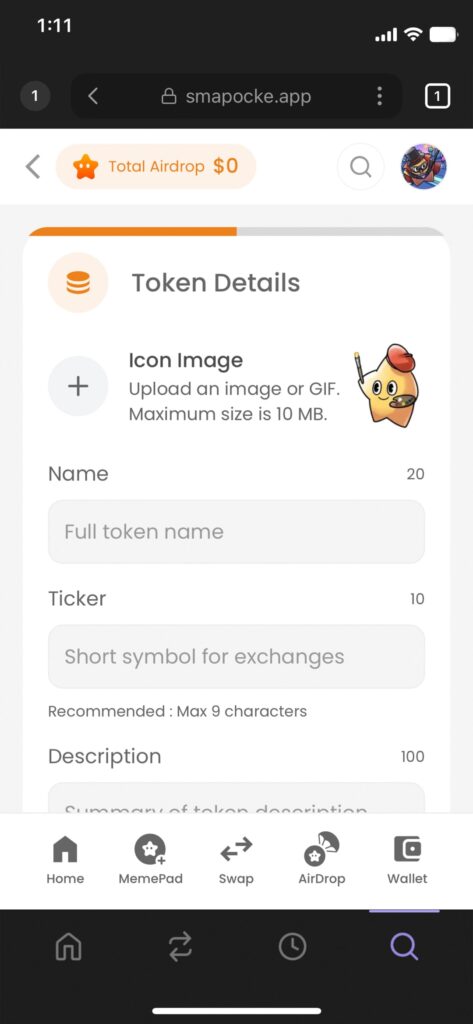
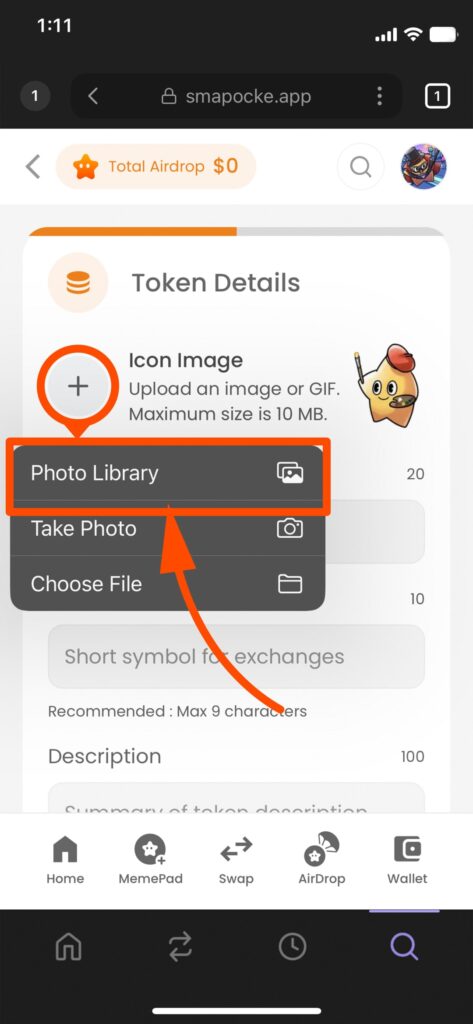
5. Tap + and select an icon image from your Photo Library
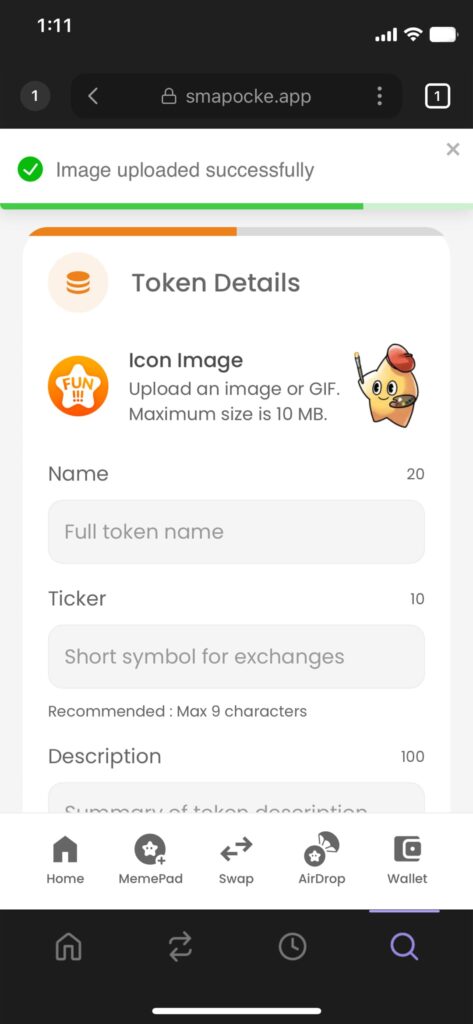
6. The icon image will be set (message: “Image uploaded successfully”)
7. Enter the token name under Name, and its abbreviation (Ticker) under Ticker
(Use alphanumeric characters – uppercase/lowercase)
(Names can also be in Japanese, but we recommend alphanumeric for global use)
(Ticker must be within 9 characters)
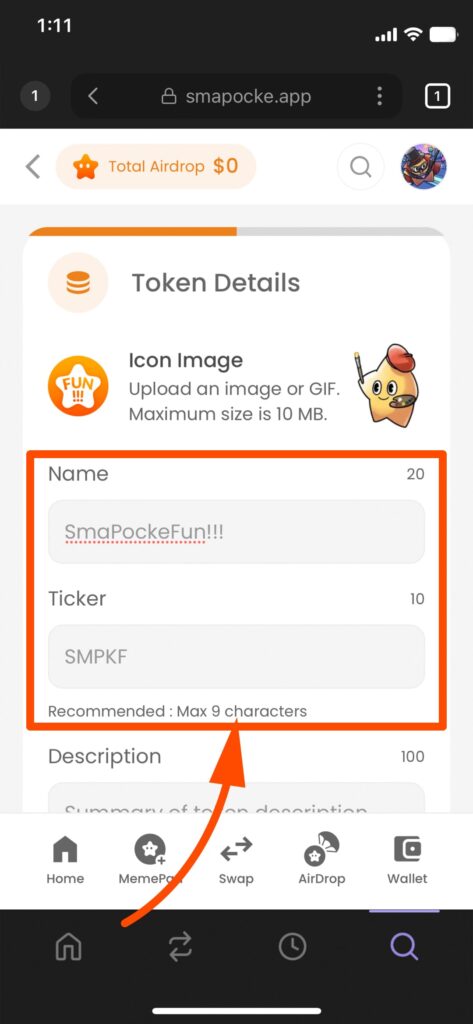
8. Enter the token description under Description
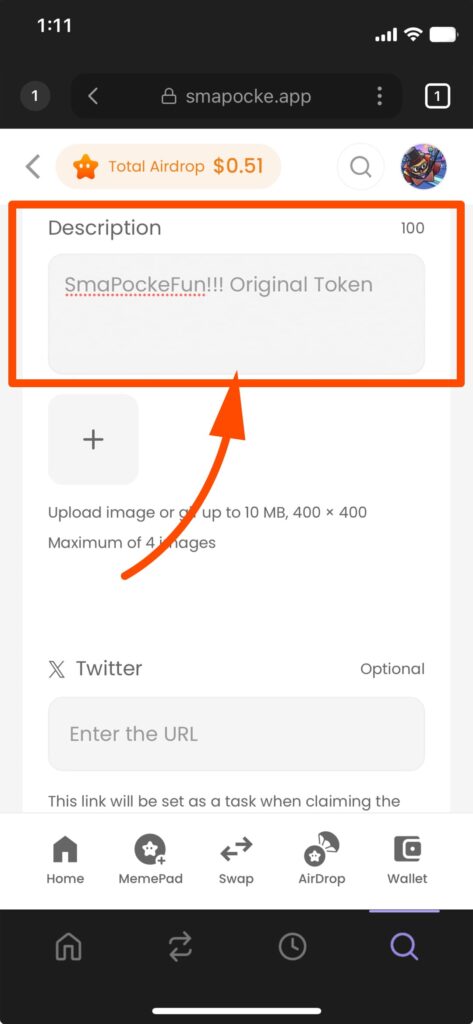
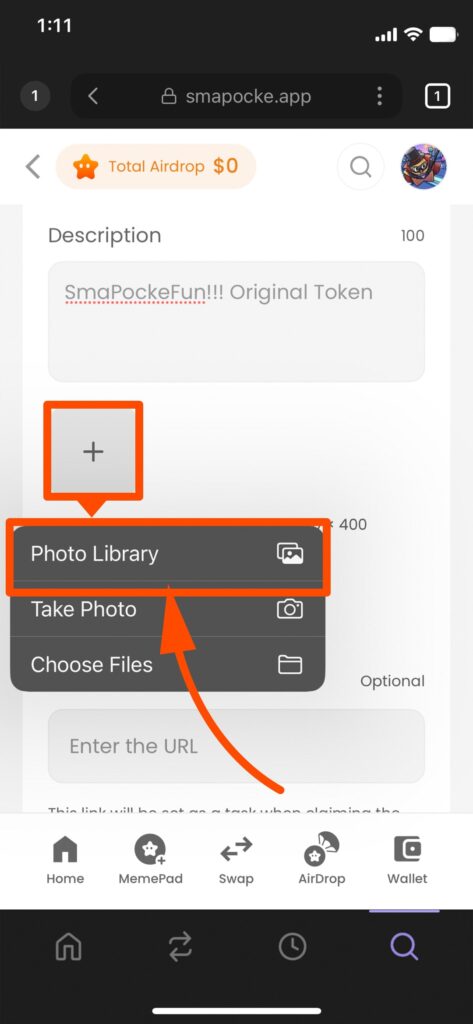
9. (Optional) Add images to supplement your description
(If you have an image that supplements the token description, tap “+” and select an image from your Photo Library.)
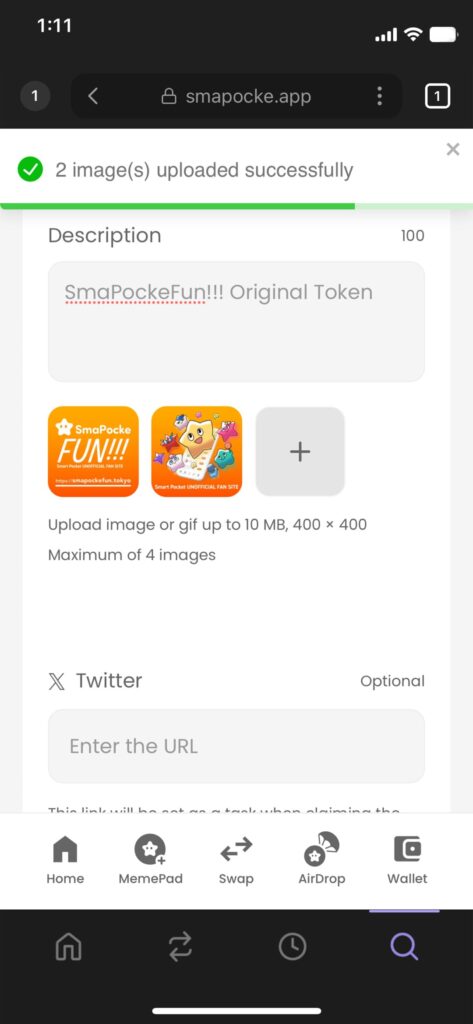
10. (Optional) The uploaded images will be displayed
(“(number) Image(s) uploaded successfully”)
11. (Optional) Enter the token’s or your own X (Twitter) account URL
(We recommend entering your X URL, as it may be required when receiving tokens.)
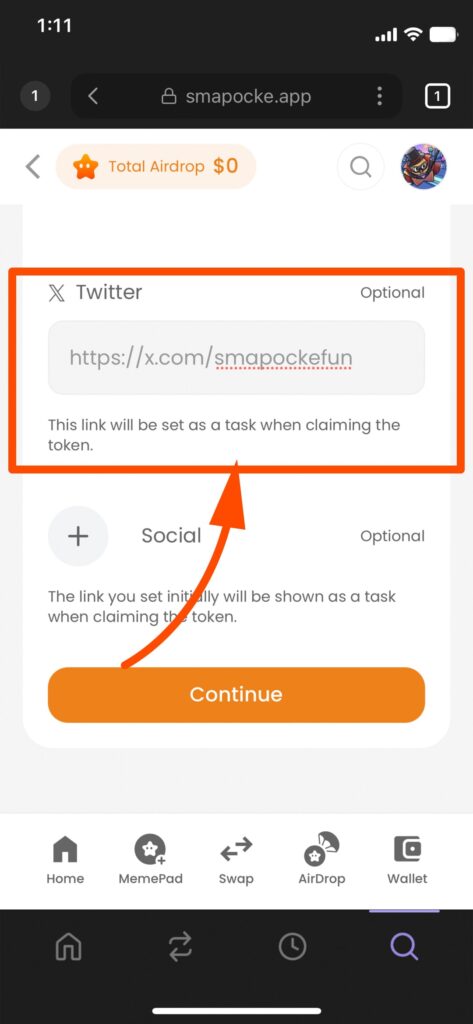
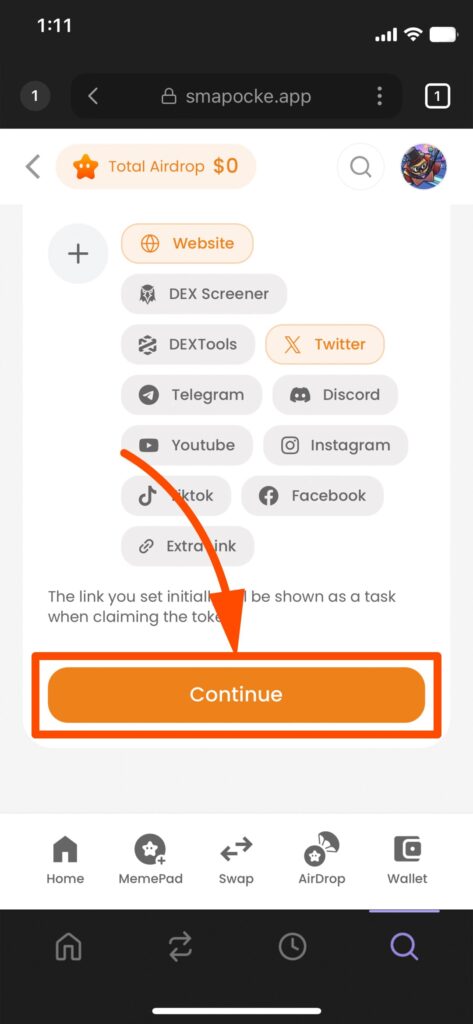
12. (Optional) To add a website or other SNS URL, tap + to display fields
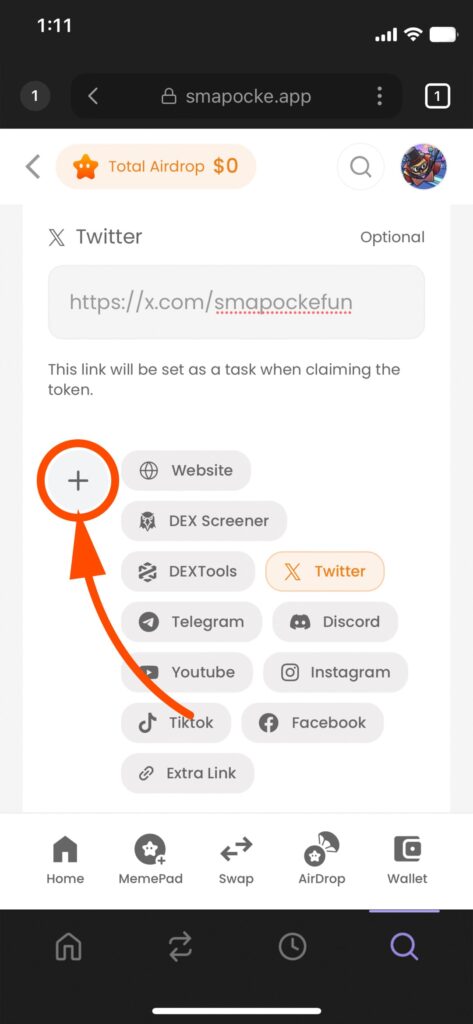
13. (Optional) Select a field (e.g., Website)
(Here, we will use Website as an example.)
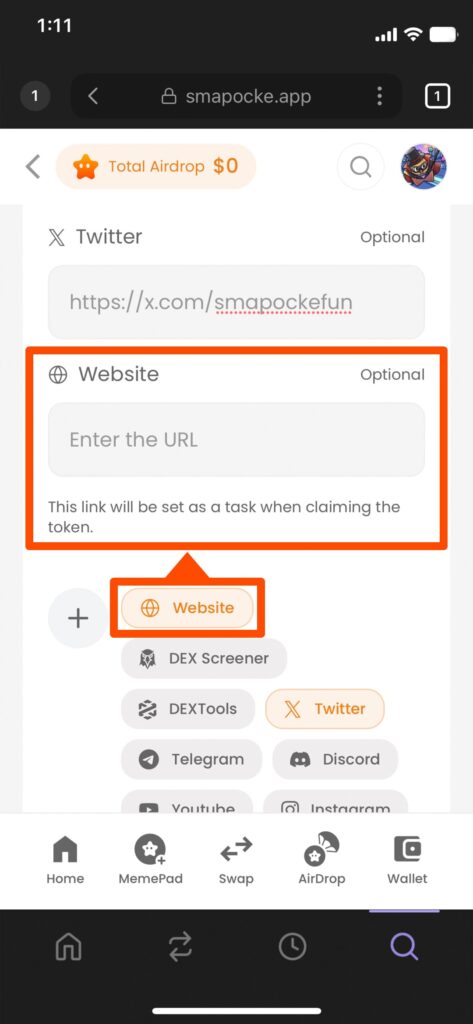
14. (Optional) Enter the corresponding information (e.g., website URL)
(In this field, enter the website URL of the token creator.)
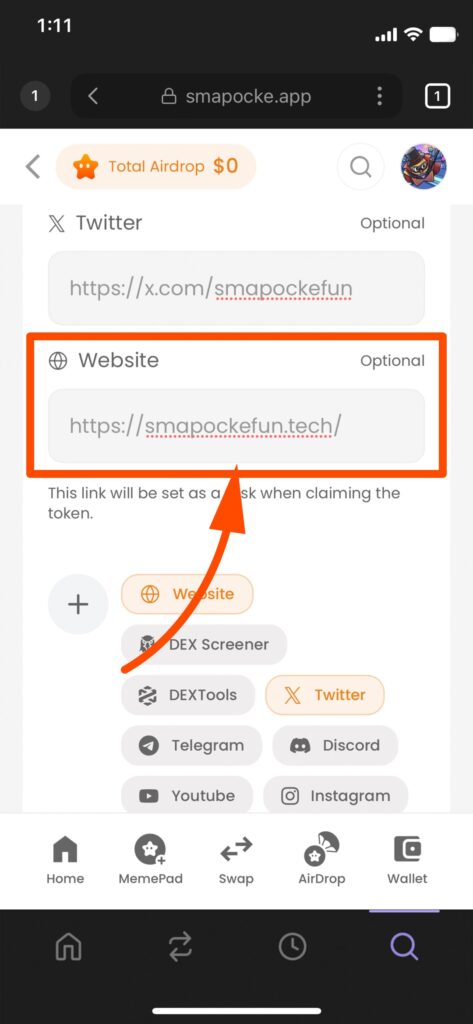
15. Tap Continue when finished
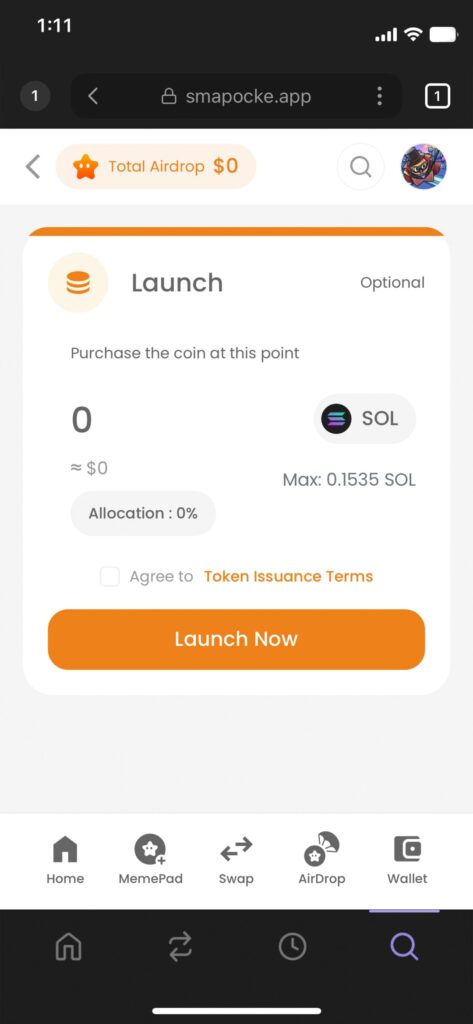
16. The Launch screen will appear
(Optionally, you can buy your own token at launch by entering an amount)
(Enter “0” if you don’t wish to purchase)
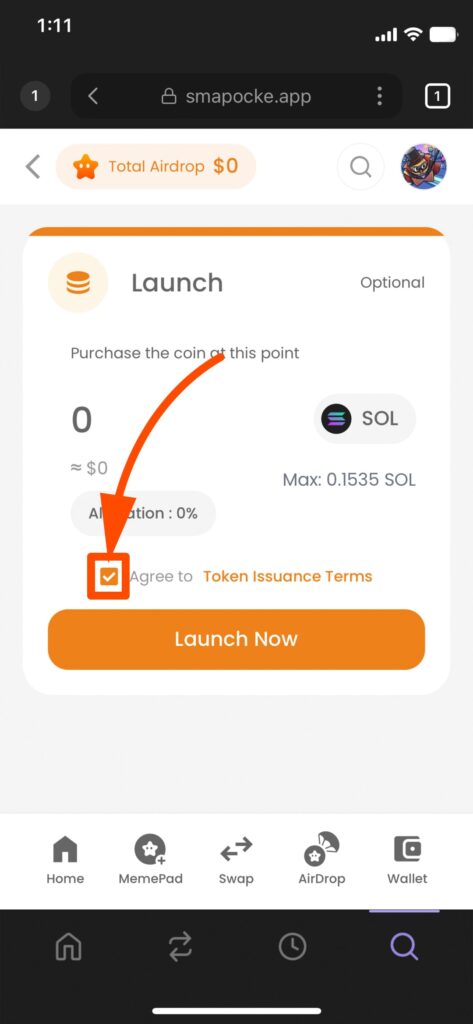
17. Check Agree to Token Issuance Terms
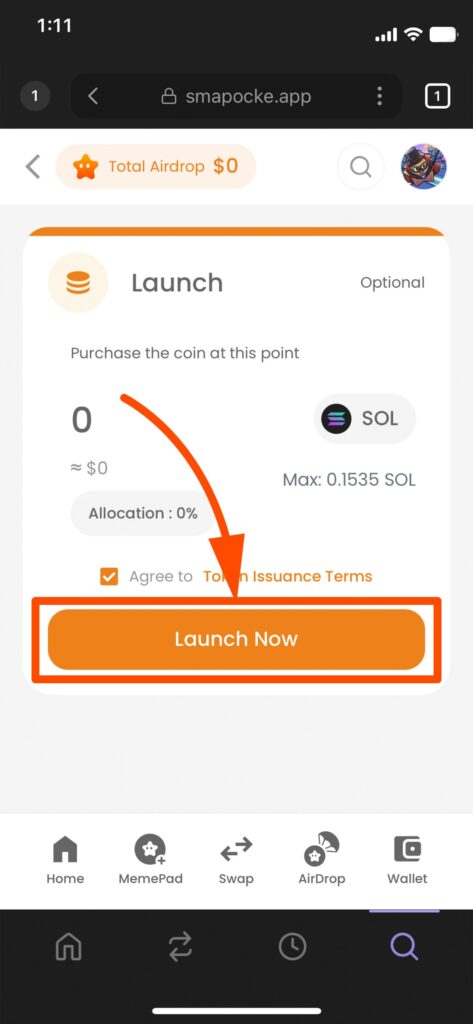
18. Tap Launch Now
19. A confirmation screen will appear — tap Confirm
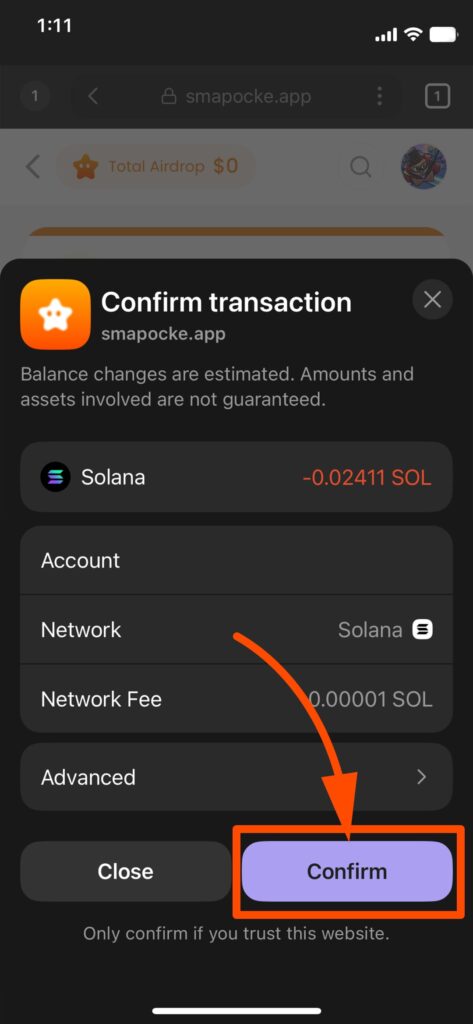
Note 1: A transaction fee is required to register the launch on the blockchain.
Note 2: If you don’t have enough fees, an error will occur. Please add sufficient funds to your wallet and try again.
20. If you see “Token created successfully!”, your token is live!
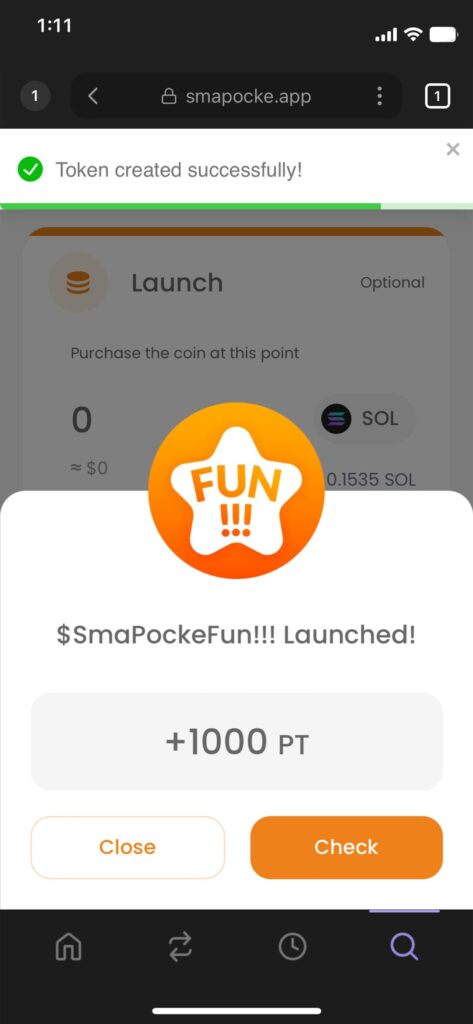
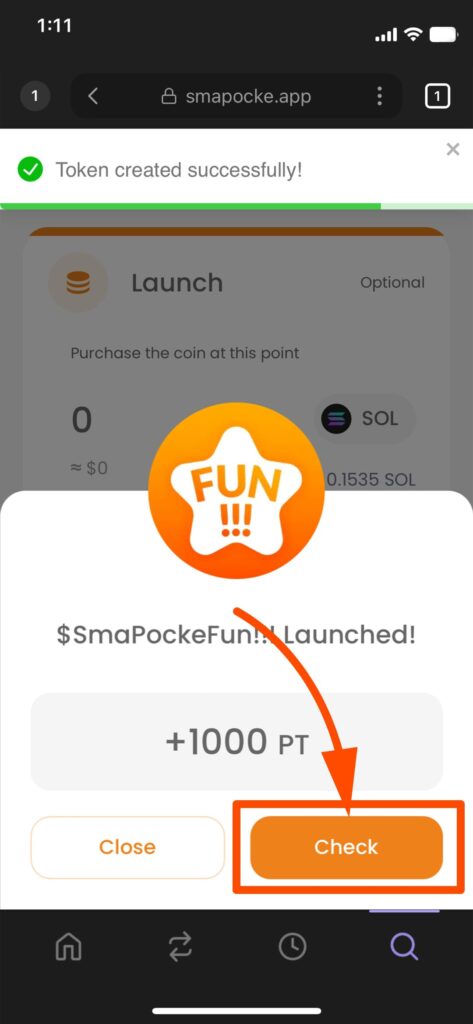
21. Tap Check
22. The My Tokens screen will appear, where you can view your created token
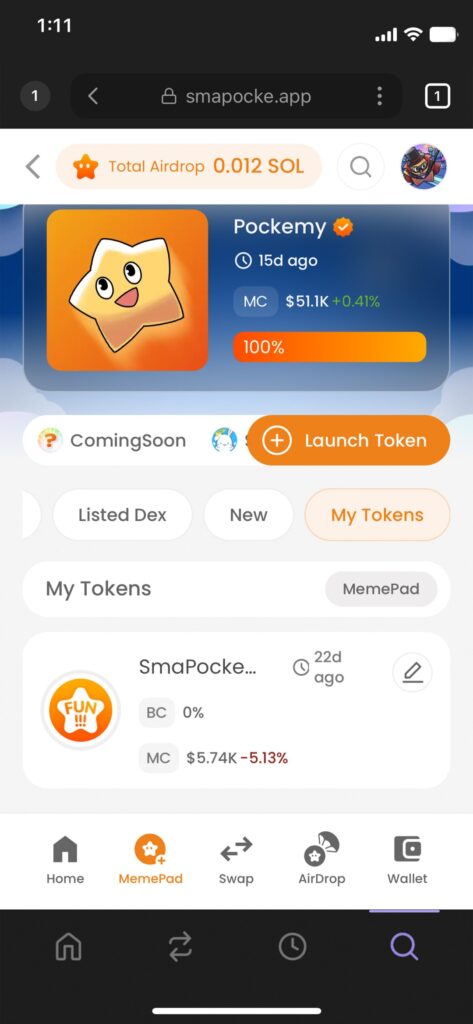
That’s it! You’ve successfully created your original token with the Launch feature.
Check out the token we created below — and if you’d like, you can even purchase it.
We’d love your support!