Smapocke ( Smart Pocket ) comes with a Wallet feature.
The Wallet works as your digital “pocket” to store cryptocurrencies, tokens, and points earned within the app. You can easily check your balance of cryptocurrencies, tokens, and accumulated points anytime.
What you can do with the Wallet
Check your owned cryptocurrencies and tokens
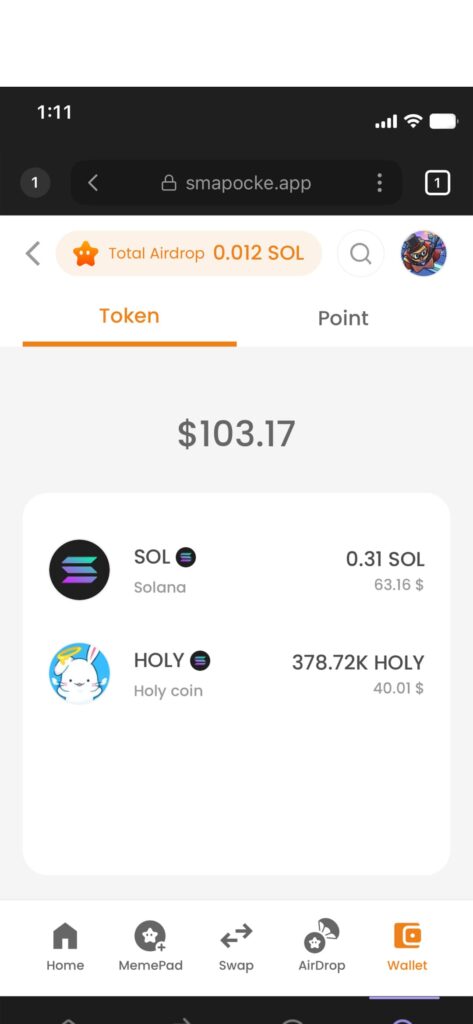
You can view the cryptocurrencies and tokens you own. It’s useful for checking whether your swap was successful after using the swap function.
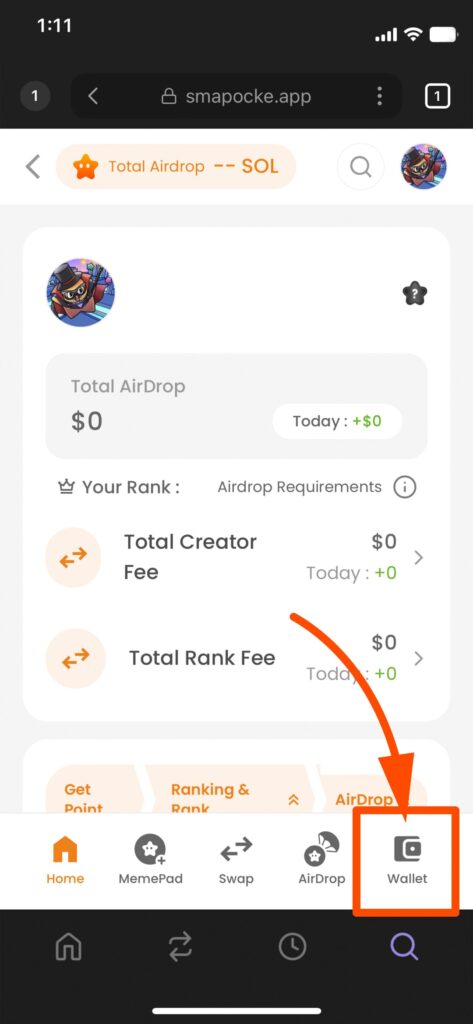
1. Tap Wallet from the bottom menu
2. Your owned cryptocurrencies and tokens will be displayed
(If they are not displayed, tap the “Token” tab to view them)
Check your accumulated points
The more you use features such as swaps in the Smapocke app, the more points you can earn! You can check your accumulated points on the following screen:
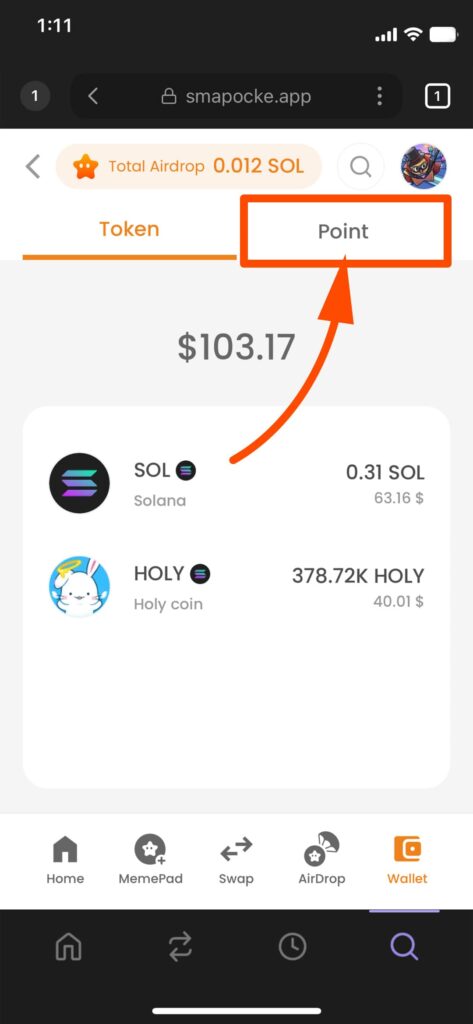
1. On the Wallet screen, tap the “Point” tab
2. Your accumulated points will be displayed
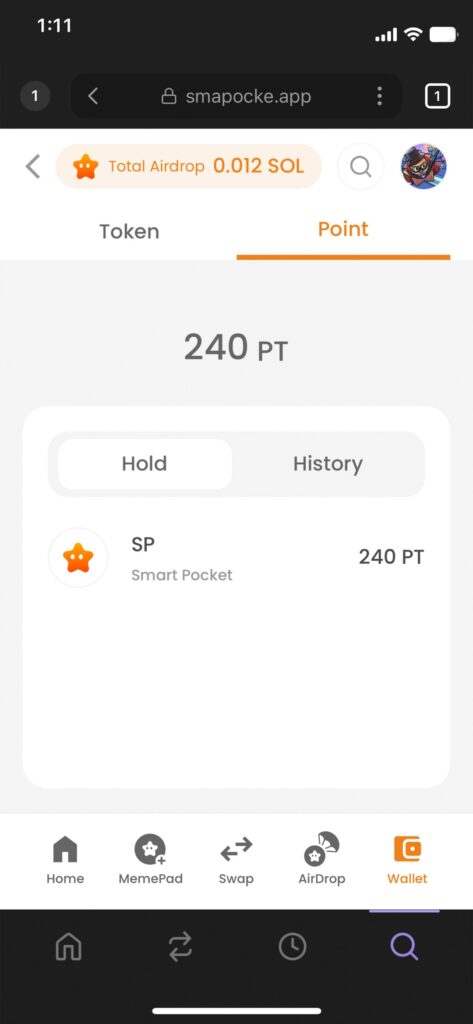
(“Hold” under the points shows the points you’ve earned, and “History” shows your point earning history)
Even more convenient! Swap or trade directly from the Wallet screen
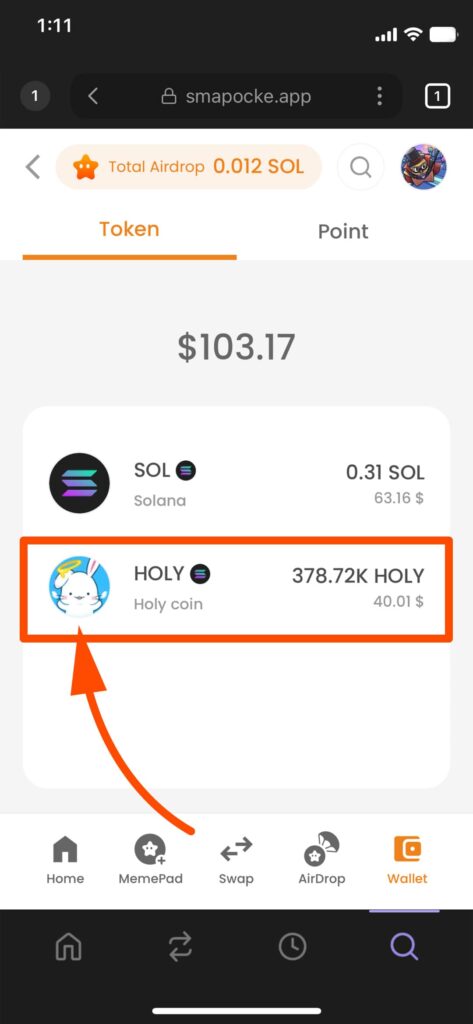
If you tap the cryptocurrency or token displayed under the “Token” tab, the screen switches, allowing you to swap or trade immediately.
This is especially convenient when you think:
“I want to support more, so I’ll buy some!” or “The price is rising, I’ll buy more now!!”
1. Tap the “Token” tab to display your owned cryptocurrencies or tokens
(If they are already displayed, no need to tap again)
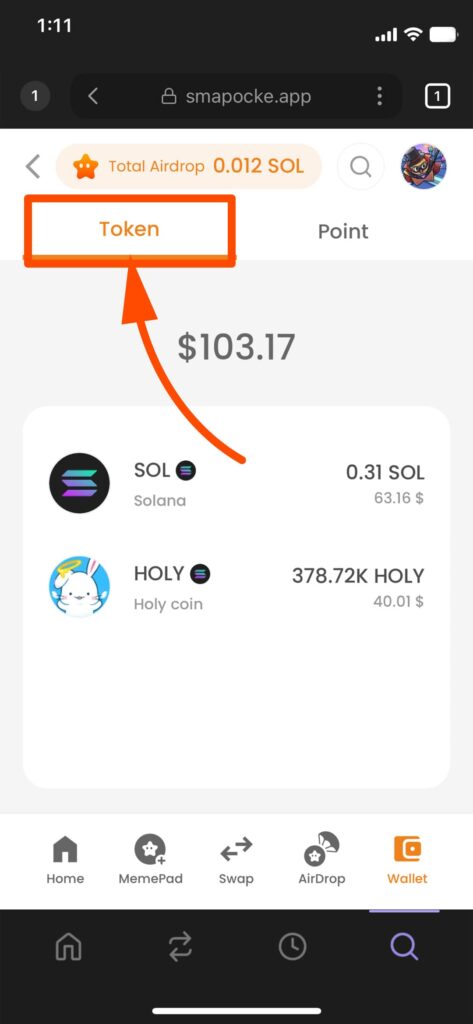
2. Tap the cryptocurrency or token you want to swap or trade
3. The screen switches to either the swap or trade screen
(Depending on the cryptocurrency or token, either the swap or trade screen will appear)
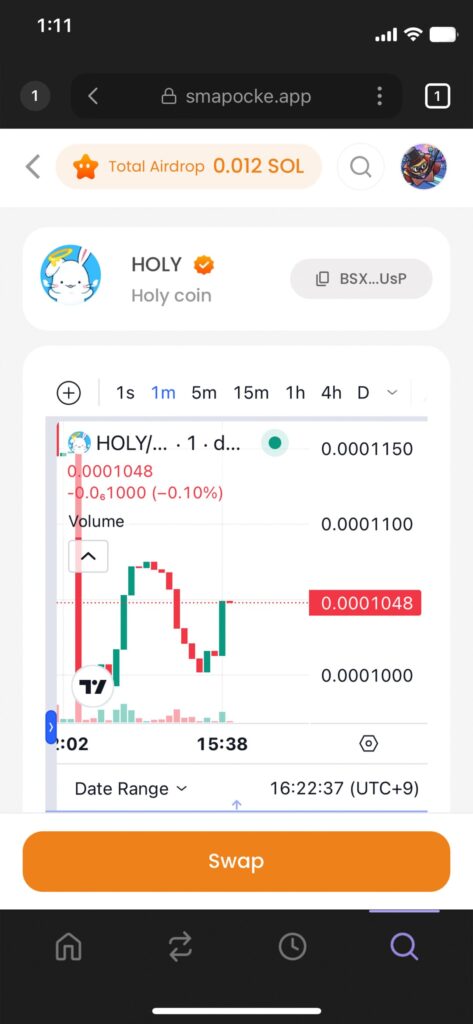
The Wallet function is not only for checking your assets but also for conveniently using them.
Be sure to give it a try!