First-Time Setup (when you use it for the very first time)
Before using Smapocke App, you’ll need to complete a simple setup.
Here’s how it works:
Setup Steps
(first-time only)
That’s it!
The whole process usually takes less than 10 minutes.
Even if you’re new to crypto, just follow the steps and you’ll be ready to go.
1. Get Ready: Install the Phantom Wallet app.
Smapocke is built on SOLANA, one of the leading cryptocurrencies.
That’s why you’ll need Phantom Wallet to interact with the app.
Phantom Wallet is highly compatible with Solana and also supports multiple blockchains like Ethereum. As of January 2025, it has over 15 million monthly active users worldwide, making it one of the largest wallets in the world.
(Source: Cointelegraph – https://cointelegraph.com/news/phantom-raises-150-million-3-billion-valuation)
How to Install Phantom Wallet
For detailed installation guides, please check the articles below.
Once you’ve installed Phantom Wallet and created your account, you’re ready to move on.
How to get started with your Phantom wallet

How to create a new Phantom wallet

(Always make sure you’re downloading Phantom Wallet from its official website.)
2. Connect: Link your Phantom Wallet to the Smapocke App.
1. After setting up Phantom Wallet, open the official Smapocke App site: https://www.smapocke.app
(You’ll see a screen like the one below)
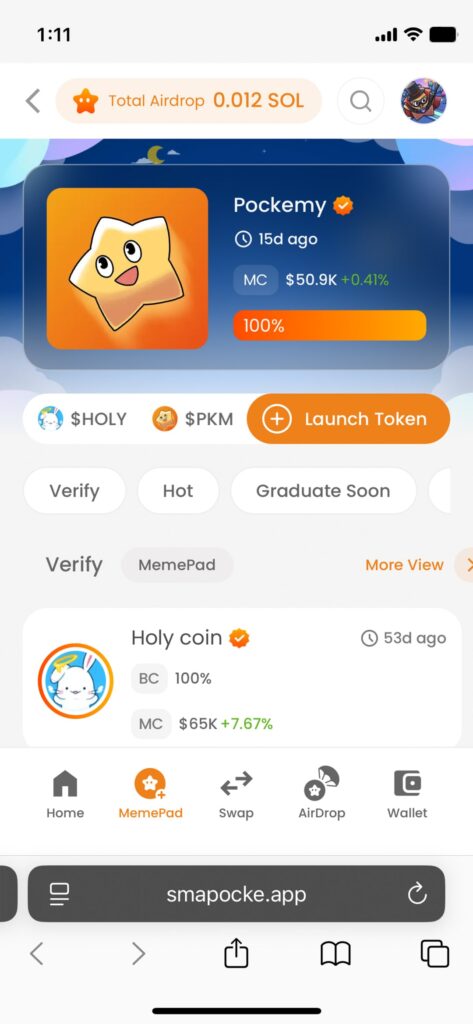
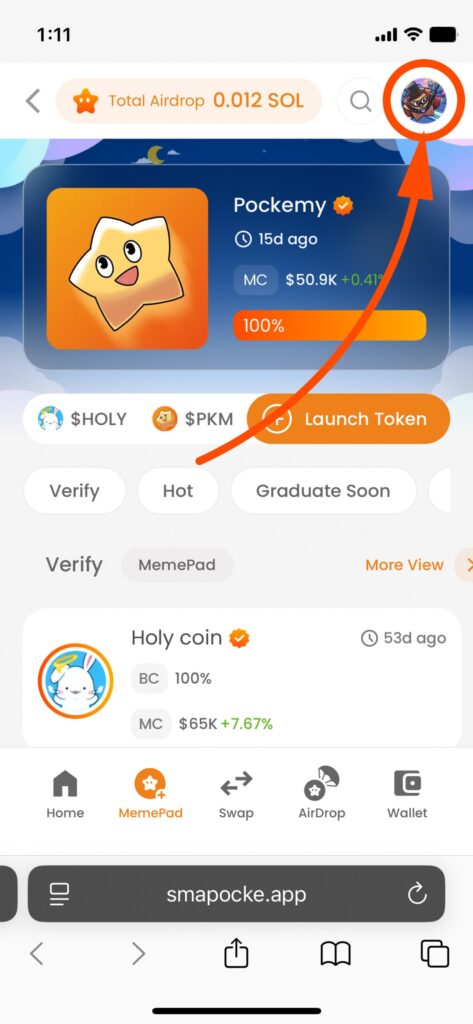
2. Tap the character icon in the top-right corner.
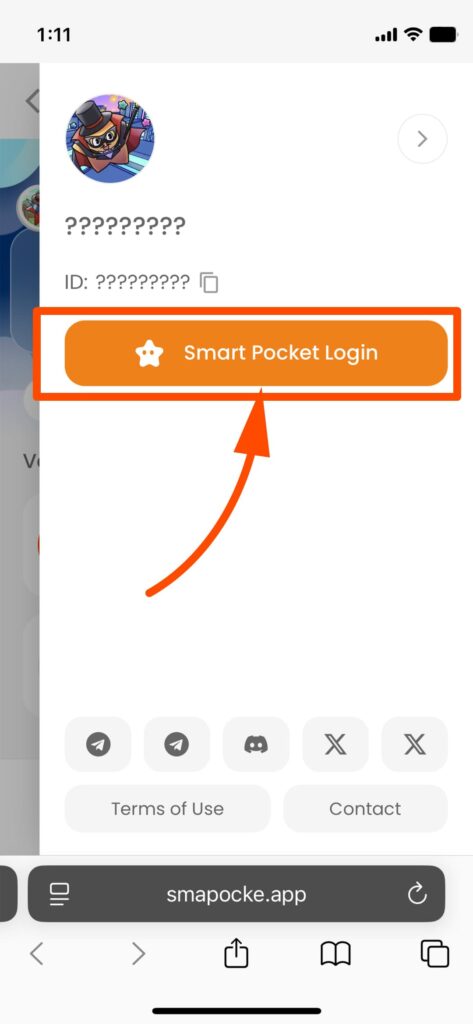
3. In the slide menu, select Smapocke Login.
4. Tap SOL Connect.
(Make sure the box for “Agree to Terms of Use & Privacy Policy” is checked.)
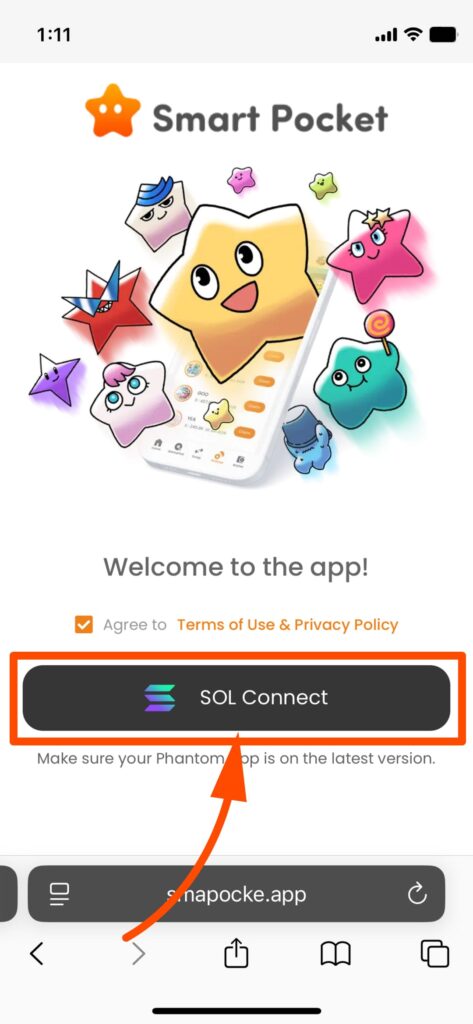
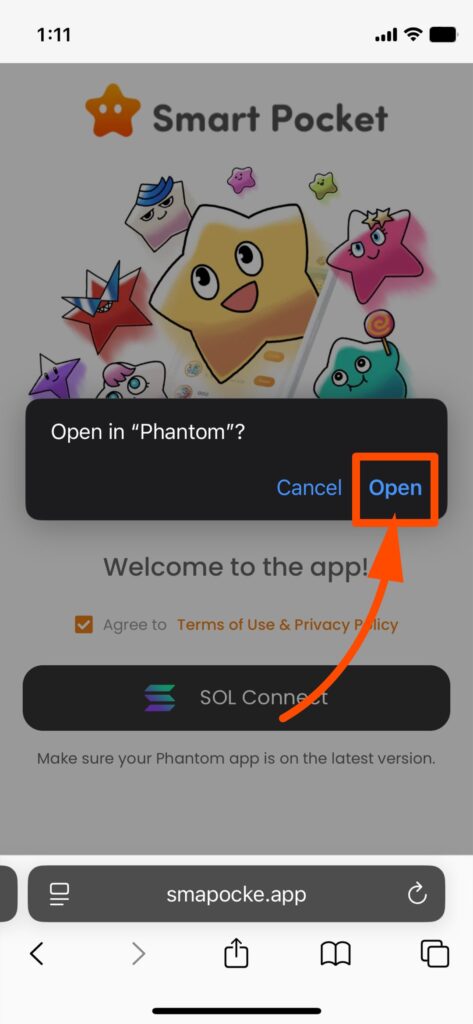
5. A confirmation will appear: “Open in Phantom?” → Tap Open.
If instead you’re redirected to an app download screen, see the note below.
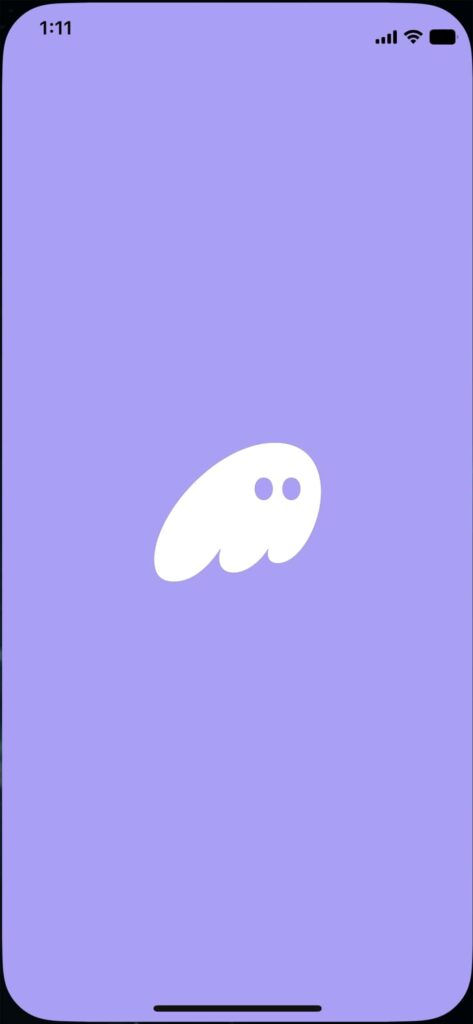
6. Phantom Wallet will launch automatically.
7. You’ll be redirected to the Smapocke app inside Phantom Wallet.
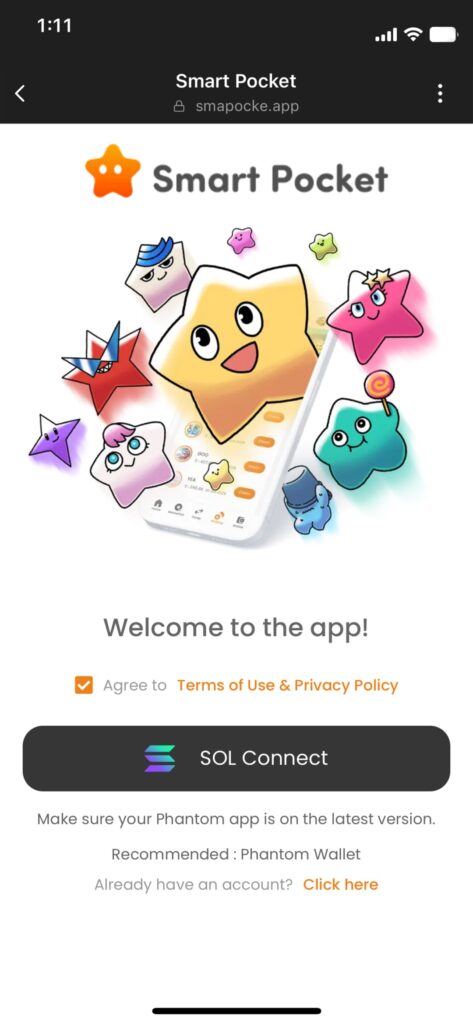
(This looks almost the same as Step 4, but now you’re inside Phantom Wallet.)
8. Tap SOL Connect again.
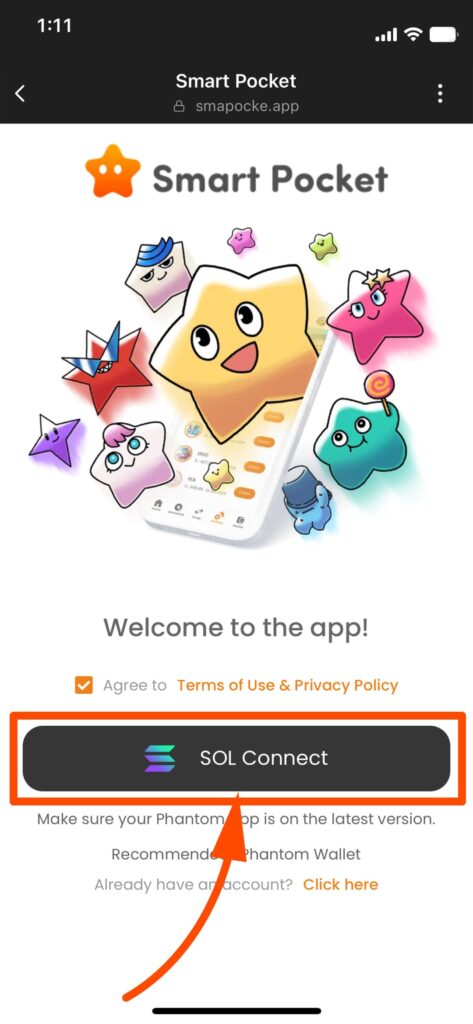
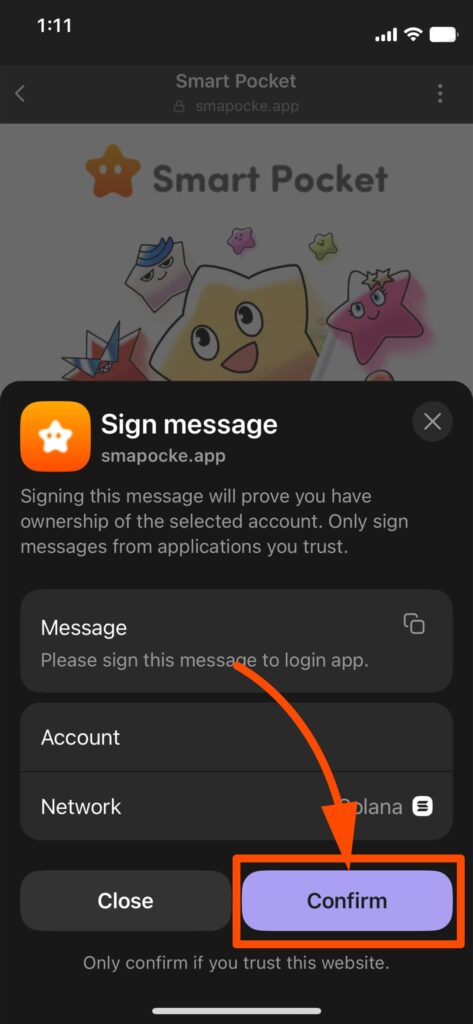
9. When “Sign Message” appears, tap Confirm.
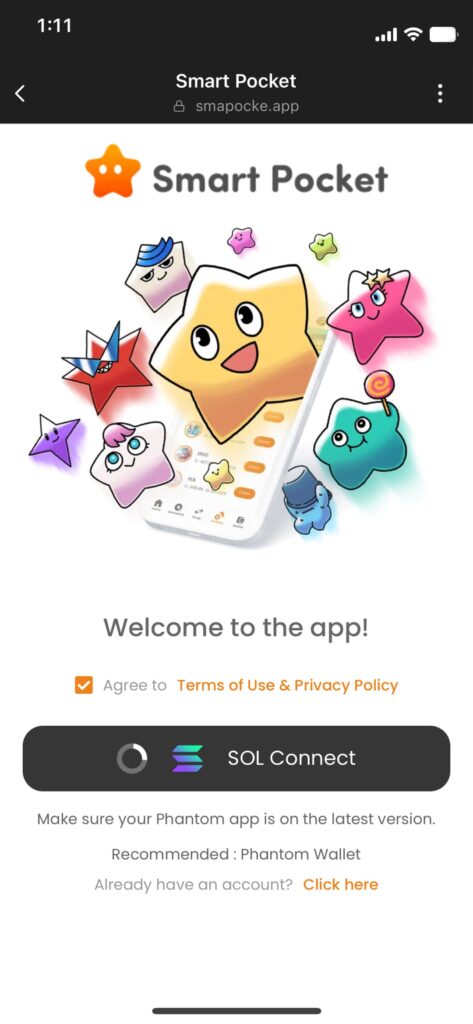
10. The SOL Connect icon will spin, starting the link process.
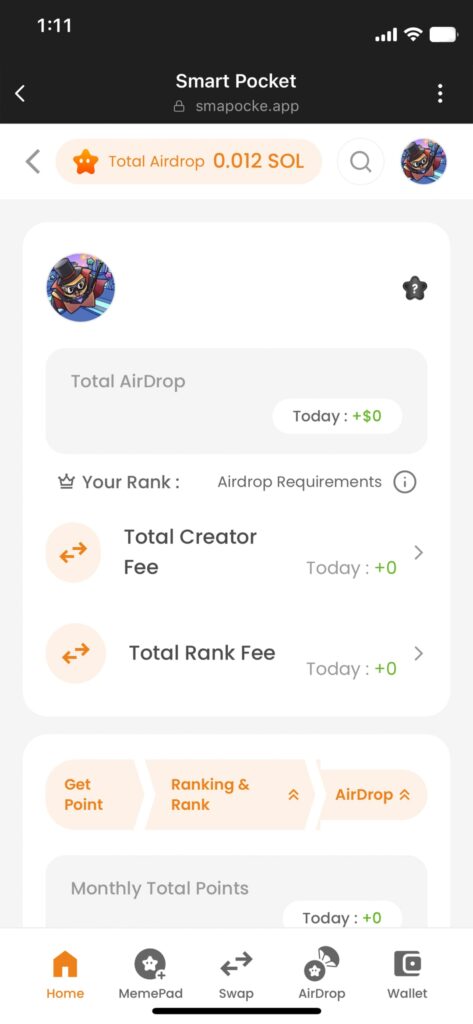
11. Once you land on the Smapocke Home screen, the login is complete!
If instead you’re redirected to an app download screen.
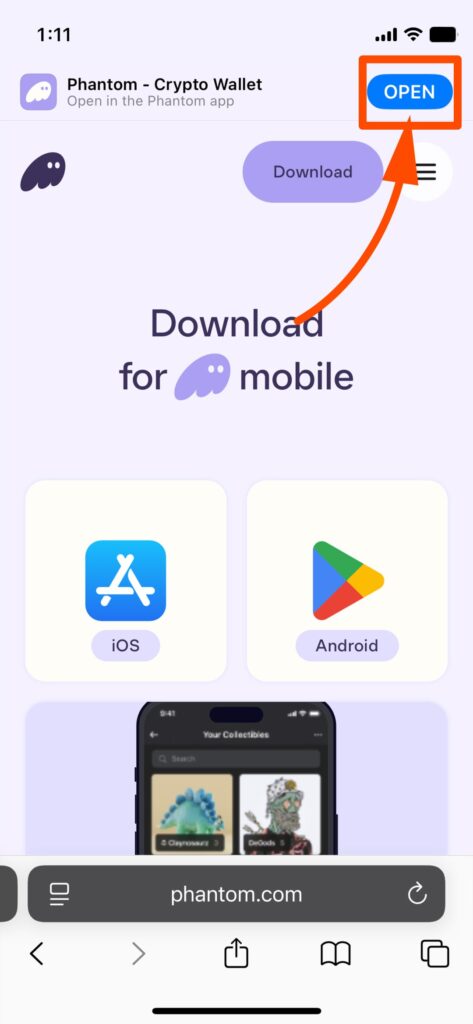
If the “Open in Phantom?” message does not appear and you see a download page instead:
As long as Phantom Wallet is installed, simply tap Open to launch it.
3. Save It: Add the Smapocke App to your favorites inside Phantom Wallet.
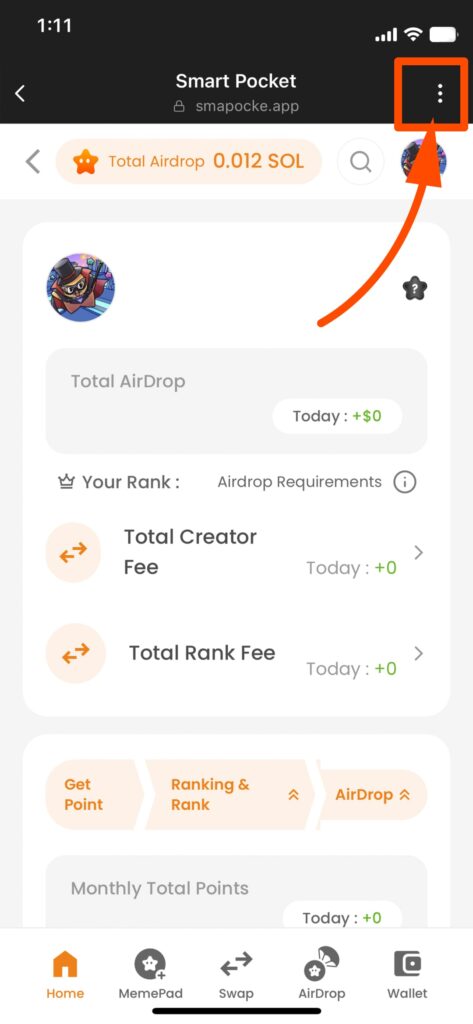
1. On the Smapocke Home screen, tap the vertical dots next to the URL bar.
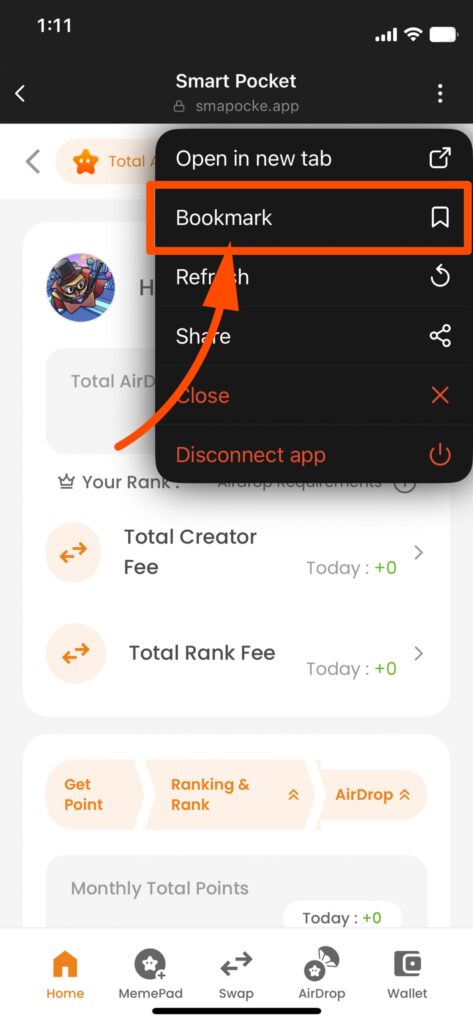
2. From the menu, select Add to Favorites for quicker access next time.
That’s it!
Now your setup is complete, and from the second time onward, you can launch Smapocke directly from Phantom Wallet.
Make the Most of Smapocke ( Smart Pocket ) App!
Smapocke offers plenty of features to make your experience even more rewarding.
The more you use it, the more points you can earn through airdrops—and there are lots of other fun perks too.
Give it a try and see how much you can benefit!