By using the Swap feature in the Smapocke ( Smart Pocket ) App to exchange cryptocurrencies and tokens, you can earn “Points” that can be used within the app. While Phantom Wallet also has a similar function, unfortunately, it does not allow you to accumulate points…
What’s more, there are many original tokens that can only be traded within the Smapocke app. So if you already have Phantom Wallet but don’t use the Smapocke app, you’ll actually be missing out!
You can access this Swap feature from the Swap screen, the MemePad screen, or the Wallet screen.
(In this article, we’ll explain the operation using the Swap screen.)
Try swapping the cryptocurrency or token that caught your attention!
How to Use the Swap Feature
1. Tap Swap at the bottom of the screen

2. The Swap screen will appear
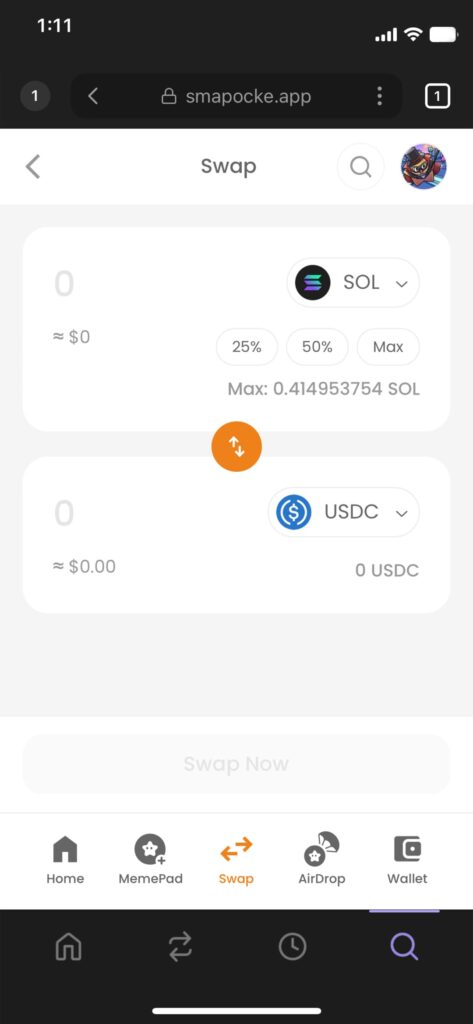
3. Select the cryptocurrency or token you want to swap from
Choose from the assets in your Phantom Wallet. By default, “SOL” is selected, so if that’s fine, you can skip this step.
(1) Tap the icon.
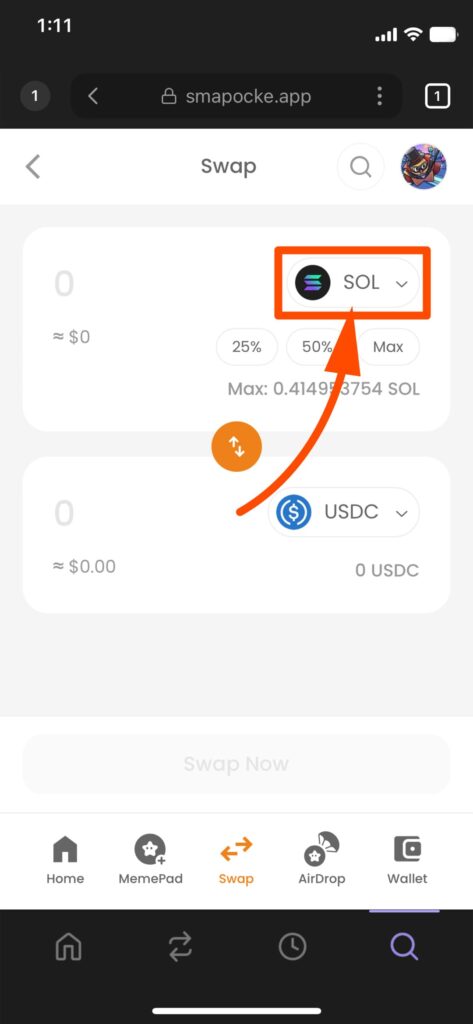
(2) A selection screen will appear, then choose your cryptocurrency or token.(Here, select “SOL,” displayed as “Wrapped SOL.”)
(If you have multiple tokens in your wallet, you can search by name or ticker code.)
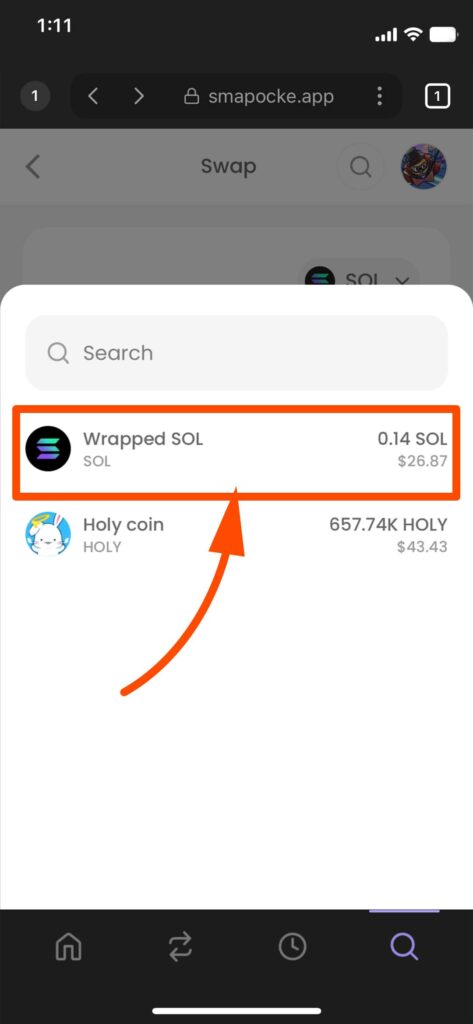
4. Enter the amount you want to swap
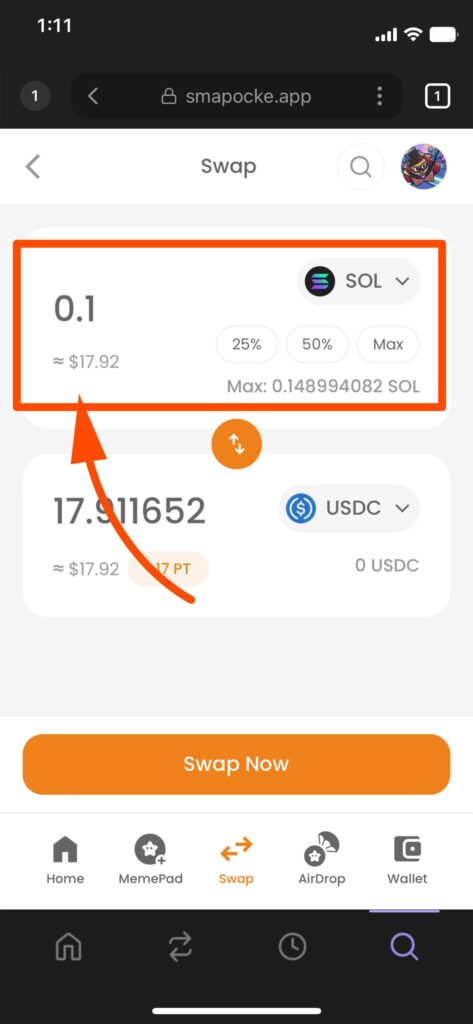
5. Next, select the cryptocurrency or token you want to swap to
(1) Tap the icon.
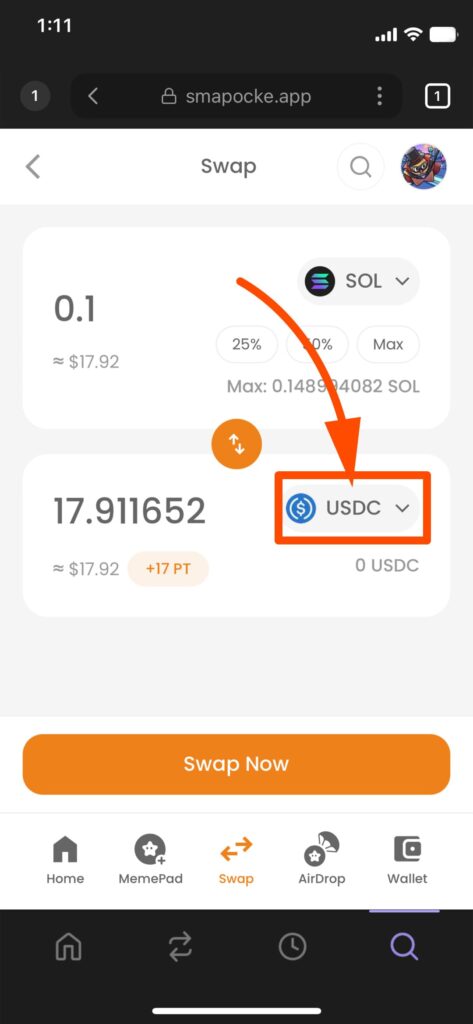
(2) Choose the cryptocurrency or token from the selection screen.
If it doesn’t appear, search for it using its ticker (a unique code). For example, if the token is HOLY COIN, its ticker might be HOLY. Enter the ticker or token name to find it.
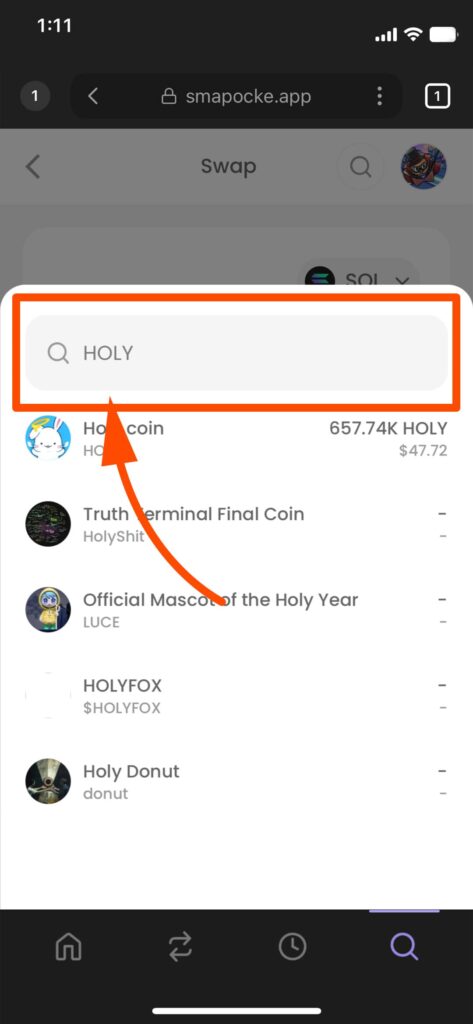
(3) Once your desired token appears, tap it

6. The swappable amount will automatically appear
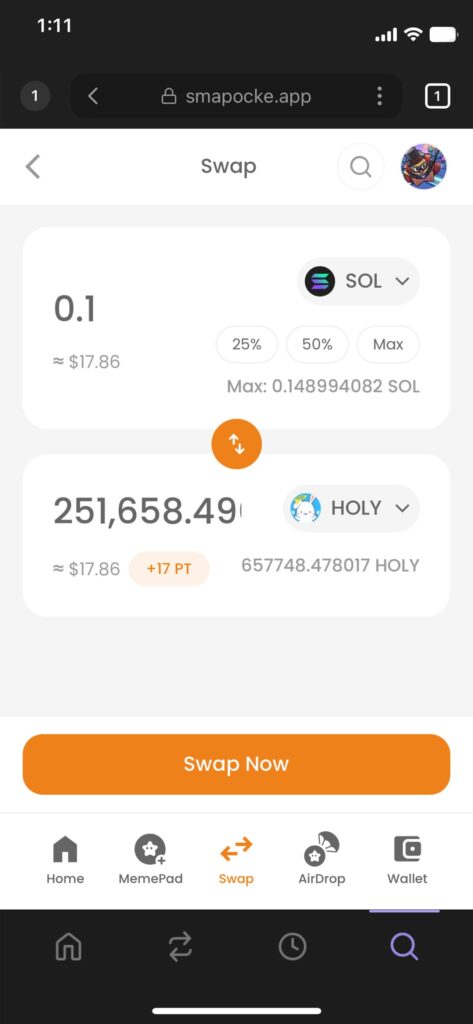
7. Tap Swap Now
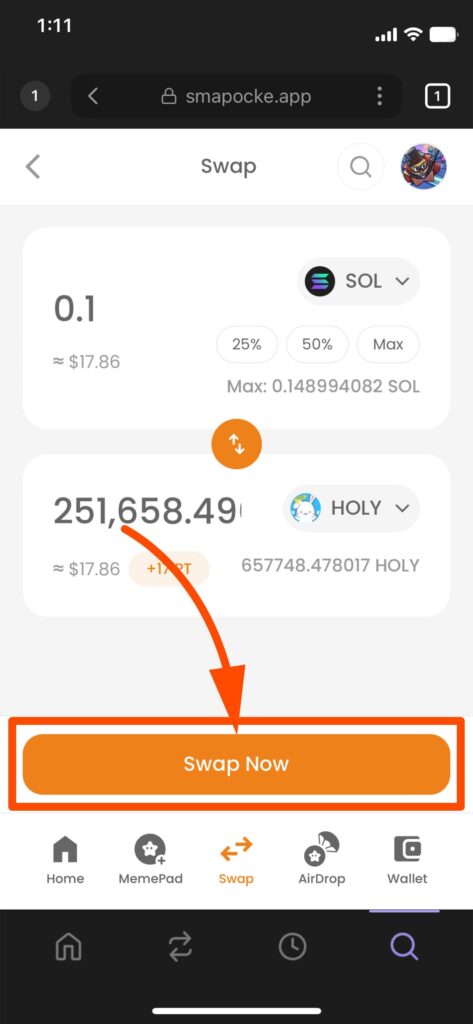
8. A confirmation screen will appear → Tap Confirm
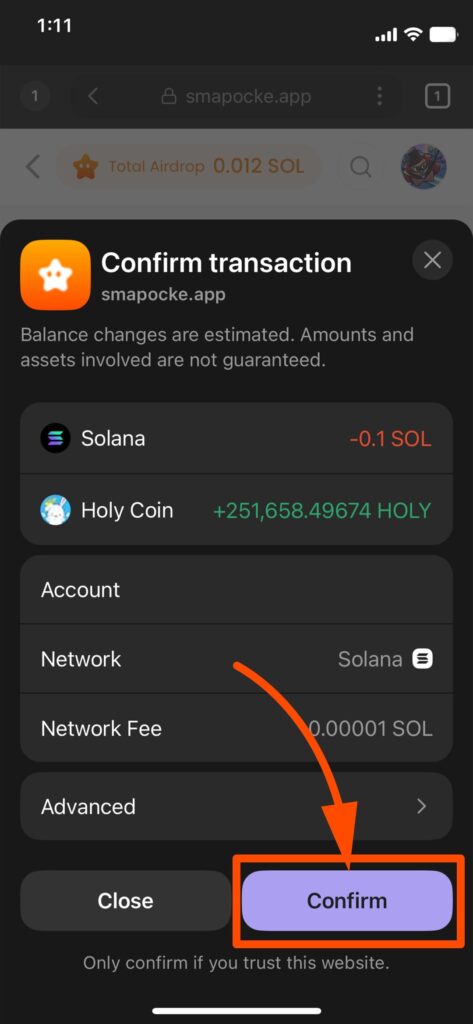
Note 1: A transaction fee (the cost of recording on the blockchain) is required. It’s usually very small, but make sure to account for it in your input.
Example: If you want to swap 100, and the fee is 0.05, you’ll actually need 100.05. Leaving a little extra balance ensures smooth swaps.
Note 2: If you don’t have enough for the fee, an error will occur. Adjust your input and try again.
9. A message will appear: “Swap transaction sent successfully!”
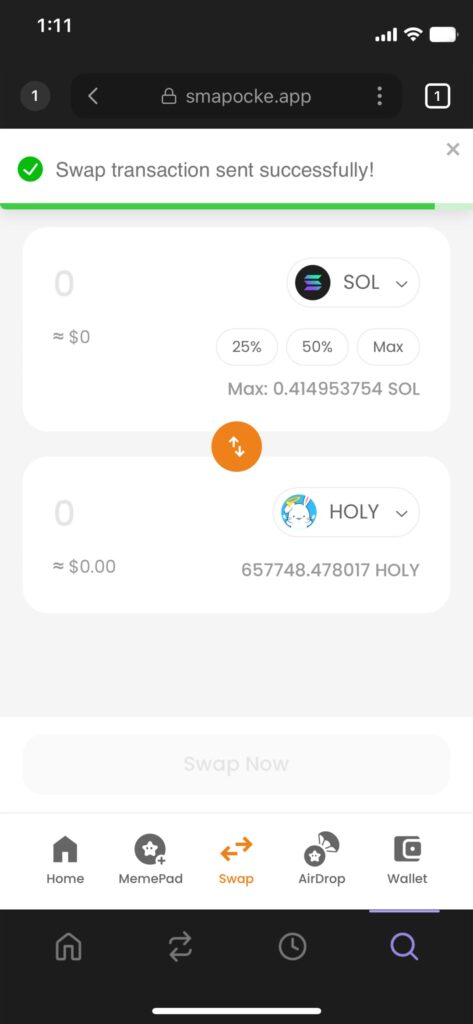
That’s it—the swap is complete!
How to Check Swapped Cryptocurrencies, Tokens, and Earned Points?
“Did my swap really go through…?”
“Are my points being added properly…??”
At first, you might feel a bit uncertain, or wonder where exactly to confirm the results.
To ease your mind, after using the Swap feature you can check whether the swap was completed and whether the points were added correctly on the Wallet screen.
Everything can be verified through the Wallet feature, so be sure to check it out!
Check your owned cryptocurrencies and tokens